
On this page
On this page
The best Beautiful.ai alternative depends on what you actually need to ship. For AI-generated decks, look at Gamma. For staying inside PowerPoint or Google Slides, Plus AI. For design range, Canva. For team decks, Pitch. For non-linear storytelling, Prezi. And if your real goal is getting ads in front of buyers, not slides, we built POPJAM for that.
I’m going to be straight with you: I run an ad creative platform, so I’ll tell you where we fit and where we don’t. Most of this guide is a fair look at the presentation tools people usually switch to. Then I’ll show you the one case where a slide tool is the wrong category altogether.
TL;DR
- Beautiful.ai is strong at auto-aligned layouts, but it leaves the writing and structure to you, which is the main reason people look elsewhere.
- Gamma is the pick for generating a full deck from a prompt. Plus AI wins if you live in PowerPoint or Google Slides. Canva wins on design variety. Pitch wins on collaboration.
- Prices span roughly $9 to $40 per seat per month across the main options, so cost rarely decides it. Workflow does.
- If you are building ad creative rather than decks, POPJAM generates on-brand ads and tests them against synthetic buyer personas before you spend. Plans start free, then 29 € per month.
Table of Contents
- Why People Look Beyond Beautiful.ai
- What to Weigh Before You Switch
- Beautiful.ai Alternatives at a Glance
- Gamma: Best for AI-Native Generation
- Plus AI: Best If You Live in PowerPoint or Google Slides
- Canva: Best for Design Variety
- Pitch: Best for Team Collaboration
- Visme: Best for Data and Animated Decks
- Prezi: Best for Non-Linear Storytelling
- Matik: Best for Data-Driven Enterprise Decks
- When the Real Problem Is Ads, Not Slides
- How POPJAM Pricing Works
- Try It on a Real Campaign
- Our Perspective
- How to Choose in Five Minutes
- FAQ
- Sources
Why People Look Beyond Beautiful.ai
Beautiful.ai does one thing very well. Its Smart Slides keep your layout tidy as you add content, and the official pricing page highlights over 300 Smart Slide layouts and custom brand styling. If you hate nudging text boxes, that’s a real gift.
So why switch? A few patterns show up again and again:
- You still write everything. One comparison from a rival notes that Beautiful.ai automates layout but leaves content writing and placement to you, while Gamma builds a complete deck from a prompt or existing content. That is a vendor’s framing, but it matches how many users describe the gap.
- The grid is fixed. Fixed-grid automation is a feature when you want consistency and a limit when you want creative freedom.
- Team pricing climbs. The Team plan covers 2 to 20 users at $40 per user per month billed annually, or $50 billed monthly, according to the Beautiful.ai pricing page. The free option is a 14-day trial that needs a credit card.
- You work in other tools. If your company runs on PowerPoint or Google Slides, a separate editor means exporting and reformatting.
Beautiful.ai is not a bad tool. Zapier’s roundup still recommends it for updating stats over time, thanks to Smart Slides and dynamic data updates. If that is your use case, you may be fine staying put.
What to Weigh Before You Switch
Before comparing logos, decide what matters to you. These are the five questions I’d ask:
- Where does the content come from? Are you starting from a blank prompt, or from a PDF, a doc or a URL? Some tools generate from scratch, others convert what you already have.
- How fast do you need to iterate? If you rebuild decks weekly, generation speed matters more than pixel control.
- How much control do you want? Full automation is quick and sometimes bland. Manual control is slow and precise.
- Is pricing clear? Per-seat plans, credit allowances and annual-only tiers all change the real cost.
- What’s the learning curve? A tool your team never opens is the most expensive tool.
These map to the criteria another vendor’s guide suggests: document handling, speed, control versus automation, pricing transparency and learning curve. They hold up whoever publishes them.
Beautiful.ai Alternatives at a Glance
Prices below are US list prices from the sources linked in each section. They change, so confirm on the vendor’s page before you buy.
| Tool | Best for | Starting paid price | Free option |
|---|---|---|---|
| Gamma | AI-generated decks and documents | $9 per seat per month (Plus) | Free plan |
| Plus AI | PowerPoint and Google Slides users | $10 per month, billed annually | 7-day free trial |
| Canva | Design variety, all-in-one work | $18 per month (Pro) | Free plan |
| Pitch | Team collaboration | $10 per seat per month (Pro) | Free plan with limited decks |
| Visme | Data visuals, templates, animation | $12.25 per month, billed annually | Free plan |
| Prezi | Non-linear presentations | See vendor | See vendor |
| Matik | Data-driven, automated decks | Custom | See vendor |
| POPJAM | Ad creative with pre-launch testing | 29 € per month | Free plan |
Gamma: Best for AI-Native Generation
Gamma treats the prompt as the starting point. It creates presentations, documents, webpages and social posts from a single prompt, using a card-based format rather than strict slides, as Zapier describes it. Its own site lists brand controls, workspace templates and an AI agent, plus a free plan and paid plans.
Pricing, per eesel’s 2026 breakdown: Free, Plus at $9 per seat per month, Pro at $18 and Ultra at $90, with Team and Business sold annually.
Pick it if you want a first draft in a minute and you’re happy to edit from there. Skip it if your company mandates native PowerPoint files, since Gamma doesn’t work directly inside native slide tools.

Plus AI: Best If You Live in PowerPoint or Google Slides
Plus AI sits inside the editors your team already uses. Its homepage says it works in PowerPoint and Google Slides to create and edit presentations, with a 7-day free trial. The company’s own guide lists individual plans from $10 per month billed annually and team plans from $30 per user per month, as of 2026.
The appeal is simple: no new tool to learn, no file conversion, and your templates stay yours. That’s a big deal for companies with locked brand templates.
Canva: Best for Design Variety
Canva is the generalist. A presentation is one of dozens of formats, and the same account covers social posts, video and print. In the US, Moda’s September 2026 breakdown lists Free, Pro at $18 per month or $180 per year, and Business at $25 per person per month or $250 per year. The paid tiers separate mostly on AI allowances, team admin and Brand Kit features.
It’s an easy starting point for small teams. The tradeoff is that you get breadth over presentation-specific automation.
Pitch: Best for Team Collaboration
Pitch is built around working together on decks: shared workspaces, comments and consistent templates. One 2026 comparison reports that its free plan allows unlimited members but limited decks, with Pro at $10 per seat per month. Treat that as a pointer and verify on Pitch’s pricing page, since it comes from a personal blog.
Startup and sales teams tend to like it because the decks look modern without a designer in the loop.
Visme: Best for Data and Animated Decks
Visme leans toward infographics, charts and self-running animated presentations, with industry-specific templates. PulseSignal’s pricing check, verified October 19, 2026, lists a free plan, Starter at $12.25 per month billed annually and Business at $24.75 per month billed annually. The Basic plan includes basic charts.
If your decks are data-heavy reports rather than pitch stories, this is worth a trial.
Prezi: Best for Non-Linear Storytelling
Prezi swaps the slide sequence for a zoomable canvas. Zapier points to it for users who want non-linear presentations. Prezi’s own education post says its paid and Teams plans add live polls, and that it generated decks in under 8 seconds in testing for K-12 teachers, which is a vendor claim. Check Prezi’s K-12 guide for the context.
It’s distinctive, but the canvas style isn’t for every audience. A conservative boardroom may prefer plain slides.
Matik: Best for Data-Driven Enterprise Decks
Matik is for organizations that want to automate personalized content from several data sources. Its own comparison page says it integrates with data tools including Salesforce and Snowflake. If your sales or customer success teams produce hundreds of similar decks, that automation can matter more than design polish. Pricing is quote-based, so expect a sales conversation.
When the Real Problem Is Ads, Not Slides
Here’s the part most roundups skip. A lot of people searching for presentation tools are really trying to make visual assets that persuade: pitch visuals, campaign concepts, creative for paid social. If that’s you, a slide tool can be the wrong shape for the job.
Slides get judged by your boss. Ads get judged by strangers, with your budget on the line. That’s the “post and pray” problem: you make something that looks great, launch it, and find out in the data three days later that it didn’t land.
That’s the gap we built POPJAM to close. We generate on-brand ad creative, then test it against synthetic buyer personas before it goes live. The idea is to see how an audience might react and fix the weak spots before any spend. You can see how creative automation works across the full lifecycle, from generation to platform-native exports for Meta, Google, TikTok, LinkedIn and Reddit.
Some concrete use cases:
- E-commerce brands testing product ad variants before committing budget.
- Agencies juggling many clients. Our agency ad generator page covers that workflow.
- SaaS founders who need fast creative tests without a design team.
Brand consistency matters here as much as in a deck. Our piece on fixing brand consistency in ads goes deeper, and this overview of AI branding strategies is a useful companion on keeping a brand coherent across channels.
How POPJAM Pricing Works
We publish our prices, because pricing transparency is one of the criteria above. Plans on our pricing page:
| Plan | Price |
|---|---|
| Free | No published price |
| Starter | 29 € per month |
| Essential | 99 € per month |
| Business | 399 € per month |
| Enterprise | Custom |
Need more generation than your plan includes? Credit packs are one-off: 1,000 credits for 10 €, 2,000 for 20 €, 5,000 for 50 € and 10,000 for 100 €.
Try It on a Real Campaign

If you’re comparing tools because you have an upcoming campaign, don’t pick on features alone. Run the same brief through two options and see which gives you something you’d actually launch.
With POPJAM, that means generating a set of ad variants in your brand style, then running them past synthetic personas to see which message and visual direction resonate with each segment.
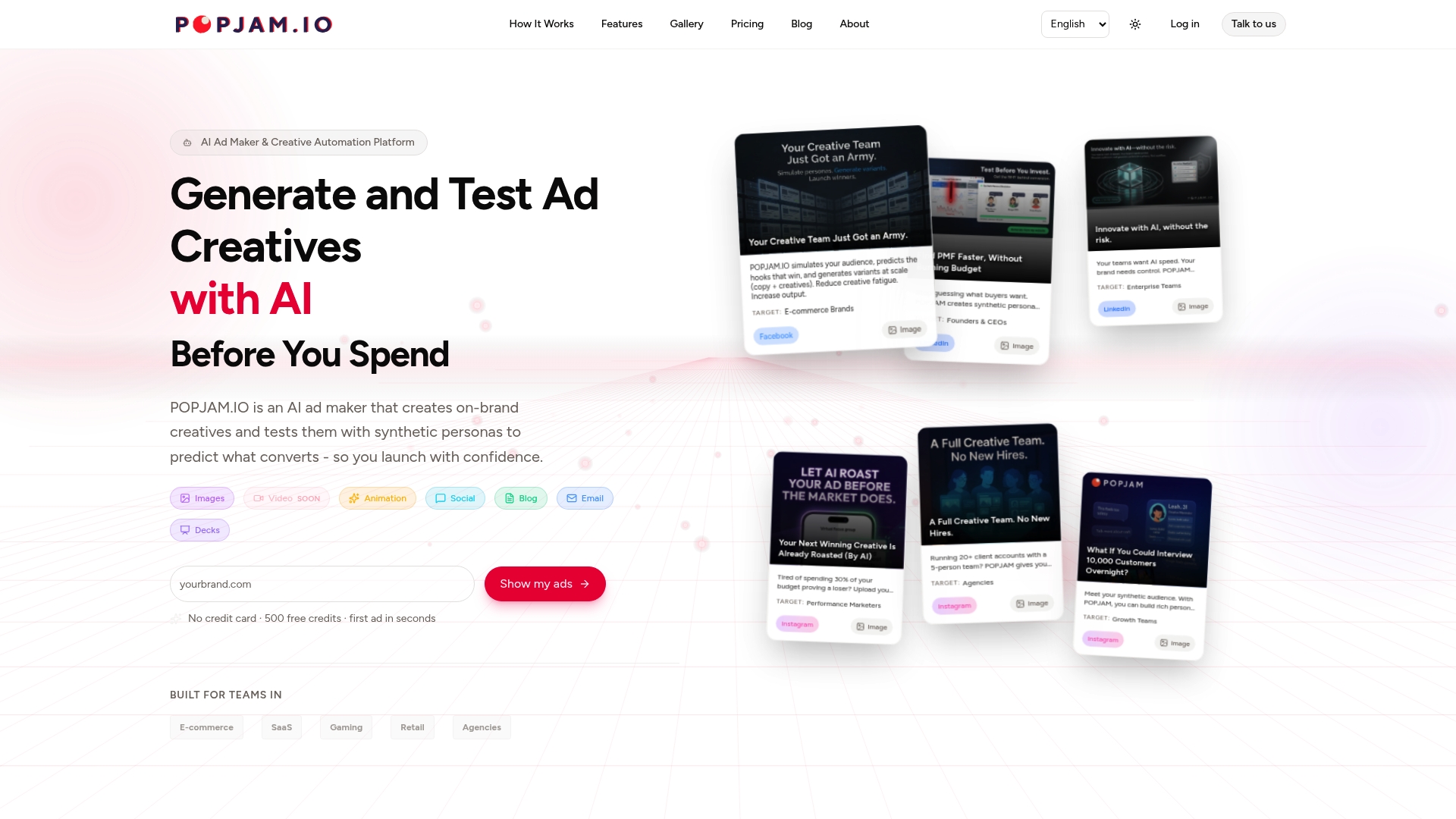
Start on the free plan through the POPJAM AI ad maker, and move up only when you’ve seen it work on your own product. If you’re still defining the brief, our one-page AI creative brief guide is a good first stop.
Our Perspective
Here’s what I’ve learned from years of building and marketing products: the creative isn’t the hard part anymore. Generating a good-looking asset takes minutes, whether it’s a slide, a banner or a video. Knowing whether it will work is the hard part.
Most tools stop at creation. You make it, you ship it, you hope. That’s the “post and pray” loop, and it’s where budget quietly disappears.
That’s why we built POPJAM around validation. Our synthetic personas are designed to simulate how target segments might react, so your team can refine a composition before it ever runs. Our approach is meant to cut guesswork and help reduce creative fatigue, because you’re iterating on feedback, not on gut feel.
If you’re evaluating Beautiful.ai alternatives for decks, pick the one that fits your workflow. But if your deck is really a stand-in for a campaign, I’d love for you to try testing the creative first. Come see what it feels like to turn on the lights.
Doruk
How to Choose in Five Minutes
Use this quick guide:
- You want a fast first draft: Gamma.
- You can’t leave PowerPoint or Google Slides: Plus AI.
- You need slides, social posts and more in one place: Canva.
- Your team edits decks together daily: Pitch.
- Your decks are charts and reports: Visme.
- You present stories, not bullet lists: Prezi.
- You automate decks from CRM and warehouse data: Matik.
- You’re launching paid ads and want to test before spend: POPJAM.
Two tips apply to all of them. First, use the free plan or trial on a real project, not a demo. Second, count seats honestly: a $9 plan for one person and a $40 plan for a team of ten are very different budgets.
If you’re also working out how AI fits your wider workflow, our AI creative suite guide and generative AI for digital marketing playbook lay out the bigger picture.
FAQ
Does Beautiful.ai have a free version?
Not a permanent one. According to its pricing page, you get a 14-day trial that requires a credit card. After that, you pay for a Pro plan as an individual or a Team plan for 2 to 20 users.
Is Beautiful.ai better than Gamma?
It depends on how you work. Beautiful.ai suits people who want fixed-grid layout automation and dynamic data updates. Gamma suits people who want a full deck or document generated from a prompt and shared live on the web.
What is the cheapest Beautiful.ai alternative?
Canva, Gamma, Visme and Pitch all have free plans. Among paid plans, Gamma Plus at $9 per seat per month is the lowest in this guide, per eesel. Verify current prices before buying.
Can I use these tools for ads?
Canva can produce social and ad graphics. Presentation tools generally aren’t built for ad testing. For on-brand ad generation plus pre-launch testing with synthetic personas, POPJAM is built for that job.
Sources
- Beautiful.ai Pricing and Plans
- Beautiful.ai Alternatives: 8 Best Tools for 2026 (Gamma)
- Gamma homepage
- The best AI presentation makers (Zapier)
- Gamma pricing in 2026 (eesel)
- Plus AI homepage
- Canva Pricing 2026 (Moda)
- Visme Pricing 2026 (PulseSignal)
- Prezi K-12 AI presentation guide
- Matik or Beautiful.ai?
- AI branding strategies for 2026