

Cut Live Spend: Responsive Search Ads Testing via POPJAM.IO for PPC
Pair 50/50 Google experiments with POPJAM.IO persona pretests to cut live spend and creative fatigue. Aim for 100+ conversions per arm before calling a...

Here’s the quick answer: use Ad Variations when you want to test broad messaging shifts across many campaigns at once, and use Custom Experiments with a 50/50 cookie split when you need a controlled, statistically sound test at the campaign or ad group level. Lean on the asset report, the combinations report, and Ad Strength to decide which headlines and descriptions to swap or pin. Where you can, aim for 100+ conversions per test arm, and write your hypothesis down before you launch anything.
TL;DR:
- Ad Variations are best for quick, account-wide messaging tests, while Custom Experiments provide more control for campaign-specific creative validation.
- Responsive search ads do not show fixed ads; instead, they assemble multiple headlines and descriptions into combinations, requiring asset ratio analysis rather than raw impression counts.
- Aim for at least 100 conversions per test arm to achieve reliable results, and always define a clear hypothesis before starting any RSA test.
- Proper testing involves isolating variables, avoiding mid-test bid or targeting changes, and focusing primarily on conversions or revenue metrics to evaluate success.
- Pre-validating assets with AI-based tools can significantly reduce wasted spend and improve test quality before launching live experiments.
Table of Contents
- How RSA Testing Differs From Classic A/B Testing
- Picking the Right Google Testing Tool for the Job
- The RSA Testing Playbook: Hypothesis to Decision
- Which Metrics Actually Matter and When to Trust Them
- Reading the Asset and Combinations Reports Correctly
- Optimization Tactics That Keep Ad Strength Climbing
- Advanced Tips and Pitfalls That Can Quietly Sink a Test
- Pre-Validating RSA Assets Before They Ever Go Live
- What I’ve Learned About Realistic RSA Testing Expectations
- Try POPJAM.IO Before Your Next RSA Test Goes Live
- FAQ
- Sources
How RSA Testing Differs From Classic A/B Testing
If you’ve run A/B tests on static ads before, responsive search ads will throw you off at first. A normal A/B test shows two fixed ads to two groups and counts the winner. RSAs don’t work that way at all.
Each responsive search ad can hold up to 15 headlines and 4 descriptions, and Google’s system assembles these into combinations on the fly based on the search query, device, and other real-time signals, according to Google’s guide to responsive search ads. You’re not testing one ad against another. You’re testing a pool of assets against another pool of assets, and the system picks which pieces to show and when.
That has a direct consequence for how you read results. Asset-level impressions and clicks don’t add up to your campaign totals, because the same headline might appear in dozens of different combinations, each counted separately, as Google’s asset report documentation explains. You can’t treat a headline’s raw impression count as a clean, standalone number. Instead, you read asset ratios (impressions relative to other assets in the same ad) as directional signals, not hard data points.
This changes how you think about control:
- Auto-optimization wins when you want Google’s machine learning to find the best combination from a diverse, well-written asset pool without micromanagement.
- Manual control wins when brand voice, legal copy, or a specific value proposition must appear every time, which is where pinning comes in.
- A hybrid approach wins most often in practice: a few pinned assets for must-show copy, with the rest left open for the algorithm to mix and match.
Knowing this up front saves you from a classic mistake: declaring a “winner” headline based on raw asset metrics when the real story is buried in how combinations interact. We’ll get into exactly how to read those reports later, but the mental model starts here. You’re testing a system, not a single creative.
Picking the Right Google Testing Tool for the Job
Google gives you two native tools for testing RSAs, and most of the confusion we see comes from picking the wrong one for the question being asked.
- Ad Variations are built for speed and scale. They let you apply a text change, like a find-and-replace or a full headline swap, across many ads and campaigns at once, and the setup lets you filter which ads are targeted, choose a change type, and set the experiment split and dates, per Google’s ad variation setup guide. This is your tool when you’re testing a broad messaging idea, like swapping “free shipping” for “fast shipping” everywhere it appears, and you want a quick directional read without building a formal experiment.
- Custom Experiments are built for precision. They split your traffic into two arms using either a cookie-based or search-based method, and Google’s custom experiment guidance recommends cookie-based splits because they prevent the same visitor from seeing both versions, which keeps your comparison cleaner. Search-based splits can reach statistical significance faster, but they trade away that isolation since the same user could land in both arms across different sessions.
- The reporting you need to evaluate either test lives in two places inside the Google Ads interface: the ad-level asset report, which breaks down performance by individual headline and description, and the combinations report, which shows which specific groupings of assets actually ran and how often, as described in Google’s combinations report documentation.
The practical rule of thumb: reach for Ad Variations when the question is “does this phrase work better across the account,” and reach for Custom Experiments when the question is “does this specific creative change improve conversions in this campaign, with enough confidence to act on it.” Practical Ecommerce’s breakdown of Google Ads experiment types backs this split: Ad Variations for account-wide text changes, Custom Experiments for controlled isolation, with a 50/50 split recommended for Search campaigns specifically because it gives you the cleanest comparison.
One more point worth flagging: Custom Experiments and Ad Variations are Google’s own recommended native approaches for creative testing, not third-party workarounds, according to Google’s broader experiment guidance. You don’t need an external testing platform to run a valid RSA experiment. You need the right tool matched to the right question, and the patience to let the data accumulate before you call a winner.

The RSA Testing Playbook: Hypothesis to Decision
Running a good RSA test isn’t complicated, but it does require discipline most PPC teams skip under deadline pressure. Here’s the sequence we’d follow every time.
- Write the hypothesis first. State it as a single sentence that connects a specific change to a specific metric: “Leading with a discount percentage in headline 1 will increase CTR by making the offer more visible at the search results stage.” If you can’t write this sentence, you’re not ready to test yet.
- Pick your scope. An ad group level test suits a narrow message change, like testing one benefit statement against another. A campaign or account level test suits a broader shift, like testing a new brand tagline across every ad you run.
- Choose your tool to match that scope. Broad, account-wide copy swap: Ad Variations. Controlled, isolated comparison at the campaign or ad group level: Custom Experiments with a 50/50 cookie split.
- Set your success metric and minimum sample size before launch. Conversions, not clicks, should usually decide the winner. Where your volume allows it, target 100+ conversions per arm before making a call, per the sample size guidance in Practical Ecommerce’s experiment guide. This keeps you from calling a winner off 12 conversions that could easily flip with more data.
- Document the plan, then run it without touching it. Write down your hypothesis, scope, tool, split, start date, and target sample size somewhere your team can see it. Let the experiment run undisturbed.
- Act on the result deliberately. A clear winner gets promoted into the live ad. A result that’s close or inconclusive gets re-run with a sharper hypothesis or rolled back, rather than left hanging in ambiguity.
Pro Tip: Keep a simple shared log of every RSA test you run, win or lose. Losing tests teach you just as much about your audience as winners do, and without a record, teams end up re-testing the same ideas every quarter.
The step people skip most is step one. It’s tempting to just throw a new headline into the mix and see what happens, but without a stated hypothesis, you have no way to explain the result afterward, win or lose. A test without a hypothesis is really just a guess with extra reporting attached, and six months later nobody remembers why that headline existed in the first place.
Which Metrics Actually Matter and When to Trust Them
Not every number in your Google Ads dashboard deserves equal weight when you’re deciding whether a test won or lost.
Conversions, or conversion value where you’re optimizing for revenue, should be your primary decision metric. Cost per acquisition and return on ad spend follow close behind, since they tell you whether a “winning” variant actually made money rather than just generating cheap clicks. CTR and engagement metrics are useful as directional signals, early warning signs that an ad is resonating or falling flat, but they shouldn’t decide a test on their own.
Here’s where a lot of testing goes wrong: asset-level CTR, CPC, and CPA numbers are non-summable, meaning you can’t add them up to equal your campaign totals, because the same asset gets counted across many different combinations. Always cross-check an asset-level read against ad group or campaign level performance before you act on it.
- Primary metric: conversions or conversion value, tied directly to your hypothesis.
- Secondary metric: CPA or ROAS, to confirm the win is also a profitable one.
- Directional signals only: CTR, engagement rate, asset-level ratios from the asset report.
- Sanity check: always compare asset-level reads against the full ad group or campaign numbers before drawing conclusions.
One industry-reported figure worth keeping in mind: advertisers who raise their Ad Strength rating from “Poor” to “Excellent” see about 15% more clicks and conversions on average, according to Google’s own reporting, and adding more well-built RSAs per ad group has delivered incremental lifts of roughly 6.6% and then 3.7% with additional ads. That’s a meaningful argument for treating Ad Strength as a genuine input to your testing priorities, not just a UI badge to ignore.
If your conversion volume is too thin to hit a reliable sample size, you have three practical options instead of calling a test early. Run it longer. Aggregate similar tests across comparable ad groups so you’re working with a bigger combined sample. Or shift your testing focus upstream to the landing page message, where conversion volume (site visits, add-to-carts) is naturally higher and you can reach significance faster, a point also echoed in Practical Ecommerce’s testing guidance. None of these are shortcuts around statistical rigor. They’re ways of getting to rigor when your traffic doesn’t hand it to you easily.
If you’re chasing return on ad spend specifically as your north star metric, the approach to campaign structure and creative strategy in Optiarts’ guide to improving ROAS is worth a look, since it digs into how media mix and creative decisions feed into that number beyond the ad copy alone.

Reading the Asset and Combinations Reports Correctly
The asset report and combinations report are where most of the real decision-making happens, and also where most misreads happen too.
Impressions get attributed per instance of an asset appearing in a served combination, which is why asset-level totals never match your campaign-level impression count, as Google’s asset report documentation lays out. A headline that appears in forty different combinations racks up impressions forty separate times over. That’s not inflation or an error. It’s just how the attribution works, and it’s exactly why you compare ratios between assets rather than treating any single asset’s raw numbers as gospel.
A practical workflow for using these reports looks like this:
- Filter the asset report by asset type and enabled status first, so you’re comparing headlines to headlines and descriptions to descriptions, not mixing categories.
- Flag assets showing low impression share combined with low CTR, since these are candidates the system is rarely serving and not rewarding when it does.
- Flag redundant messaging, where two or three headlines are saying essentially the same thing, since this often crowds out space for genuinely different angles.
- Resist pulling diverse messaging too fast. A headline with modest early metrics might be reaching a different audience segment than your top performer, and removing it too soon narrows your coverage more than it helps.
On pinning: the best-practice approach is minimal and hybrid. Pin an asset only when something legally or contractually needs to appear every single time, like a required disclaimer, a licensing notice, or a price claim your legal team has signed off on. Beyond that narrow case, pinning works against you, since it removes the asset from the combination testing entirely and strips Google’s system of the flexibility that makes RSAs effective in the first place.
The combinations report deserves one more word of caution. It shows you which specific groupings of headlines and descriptions actually ran, and how often, per Google’s combinations report page, but Google is explicit that these combinations aren’t guaranteed to perform identically if you pull them out and recreate them as static ads. The combination that looked great inside the RSA system benefited from the system’s real-time matching logic. Strip that context away and you’re testing something different, even if the words on the page look the same.
Optimization Tactics That Keep Ad Strength Climbing
Once your testing workflow is running, the next lever is simply writing better assets, and giving the system enough genuine variety to work with.
A useful way to structure your headline pool is by role rather than by random idea generation:
- Intent-match headlines that mirror the exact language a searcher used, confirming relevance fast.
- Differentiator headlines that state what makes your offer distinct, a feature competitors don’t have or a guarantee they don’t make.
- Call-to-action headlines that push toward the next step, whether that’s “shop now,” “get a quote,” or “start your trial.”
- Proof or offer headlines that test a benefit claim against a social proof angle against a straightforward discount or deal.
The goal across your full set of up to 15 headlines and 4 descriptions is genuine diversity, both topical and emotional. If ten of your fifteen headlines are variations on “fast shipping,” you haven’t built a diverse pool, you’ve built one idea restated ten different ways. Mix urgency with reassurance, mix benefit-led copy with proof-led copy, and give the system actual contrast to learn from.
Refresh cadence matters too, but it should scale with your traffic volume. High-volume advertisers can afford minor asset swaps on a monthly basis, replacing one or two underperforming headlines while leaving the rest intact. Bigger, structural changes, like rewriting the entire value proposition behind an ad group, deserve a proper controlled experiment rather than a quiet swap, since that’s the kind of change that can swing performance meaningfully in either direction.
Pro Tip: Treat Ad Strength as a writing coach, not a judge. It’s a useful nudge toward more variety and better headline-description alignment, but it has no visibility into your actual conversion data, so never let an “Excellent” rating replace a real experiment.
That last point is worth repeating in plain terms: Ad Strength is a forward-looking, qualitative signal built from asset diversity and relevance, not a performance guarantee. Use it to catch obvious gaps in your asset pool before launch, then let your Custom Experiments and Ad Variations results make the actual call on what to keep.
If you’re looking for more structured ways to think through headline writing itself, Babylovegrowth’s piece on optimizing headlines for clicks has some useful framing on what makes a headline earn attention in the first place, even though it’s written with organic search in mind rather than paid.
Advanced Tips and Pitfalls That Can Quietly Sink a Test
A few mistakes show up again and again in RSA testing, and most of them are avoidable once you know to look for them.
Ad customizers and dynamic text insertion change how an asset actually gets evaluated, since the final served text might differ from what you typed into the asset field. Use these intentionally, and be aware that performance data for a customized asset reflects a moving target, not a fixed piece of copy.
- Don’t recreate a static ad from the combinations report expecting matching performance. The combination succeeded partly because of the system’s real-time assembly, not purely because of the words themselves.
- Don’t change bids or targeting mid-experiment. A bid adjustment or audience change during a running test introduces a second variable, and you’ll never know whether your result came from the creative change or the targeting shift.
- Handle legal disclaimers and required promotional copy carefully. If a line must appear every time for compliance reasons, pin it rather than leaving it in the open pool, where it might get served inconsistently.
- Watch for seasonal or promotional timing bleeding into your results. A test that straddles a major sale period will show lift that has nothing to do with your creative change.
The common thread across all of these is confounding. A clean test isolates one variable at a time, and RSAs already introduce enough complexity through combinatoric serving that adding a second moving part, whether that’s a bid change, a targeting tweak, or an unplanned promotion, makes the result nearly impossible to interpret honestly.
Pre-Validating RSA Assets Before They Ever Go Live
Everything above assumes your assets are already live and you’re testing which ones win. There’s a step that can happen before that, and it’s one we built our own platform around.
Popjam generates on-brand ad creative with AI, then tests those drafts against synthetic buyer personas built from psychographic profiles before a single dollar gets spent on them. Instead of guessing which five of your fifteen headline candidates deserve a live test slot, you get directional feedback on how different audience segments are likely to react to each one, and you can narrow your pool before it ever touches the Google Ads auction.
The workflow we’d recommend pairs the two approaches rather than picking one over the other. Draft your headline and description candidates, run them through synthetic persona testing to surface which messages seem to land and which seem to flop, then take your strongest shortlist into a live Ad Variations or Custom Experiments test to confirm the lift with real searchers and real conversion data. Synthetic testing narrows the field and protects your budget from obviously weak copy. Live testing in Google Ads is still what settles the question with statistical confidence, since that’s the only place actual buyers with real intent are making real decisions.
We’d be the first to say synthetic validation has a ceiling. It’s directional, a strong early read that tells you where to focus, not a replacement for the 50/50 cookie split and conversion counts that give you a statistically sound answer. Final validation belongs in Google Ads, every time. What synthetic pre-testing changes is how much live budget you burn getting there, and how much creative fatigue your team avoids by not launching every half-formed idea straight into a real campaign. For teams managing creative across a full lifecycle of generation, testing, and export, that earlier filter tends to pay for itself quickly in saved spend alone.
What I’ve Learned About Realistic RSA Testing Expectations
Most teams expect RSA testing to behave like the clean, binary A/B tests they ran on static ads years ago, and that expectation sets them up for disappointment. Set your lift expectations modestly. A well-run test might move CPA by a meaningful percentage, not double your conversion rate overnight, and chasing dramatic swings usually means you stopped a test too early rather than found a genuine breakthrough.
I’d accept an automated winner from Google’s system when the asset pool going in was genuinely diverse and well-written, since the machine learning has good raw material to choose from. I’d override it with manual pinning only for compliance reasons, never because a personal favorite headline isn’t getting served as often as I’d like.
The organizational habit that matters most isn’t a tool or a framework. It’s writing the hypothesis down before launch and sharing the result, win or lose, with the rest of the team afterward. Testing culture breaks down the moment results live only in one person’s head.
— Doruk
Try POPJAM.IO Before Your Next RSA Test Goes Live
Running a Custom Experiment with a 50/50 split is the right way to settle which creative wins, but it still costs real ad spend to get there. We built POPJAM.IO to catch the weak headline candidates before they ever reach that stage, generating on-brand ad creative and running it against synthetic buyer personas so you walk into your live test with a shortlist, not a guess.
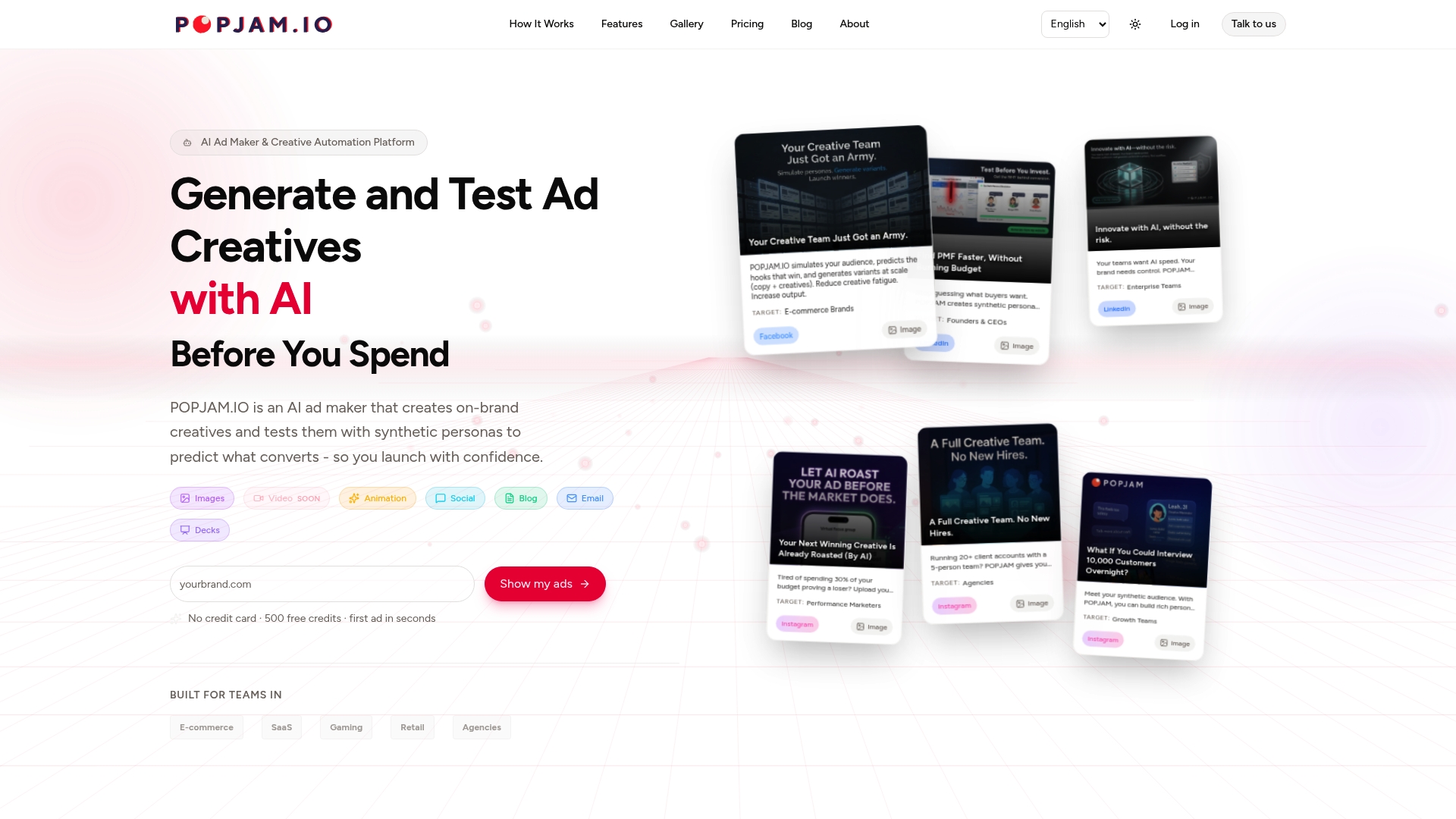
If you’re managing RSAs across more than a handful of ad groups, this kind of pre-launch filter tends to save the most time and budget, since every weak asset caught early is one less variant burning impressions in a live experiment. Our pricing page lists the Free plan alongside Starter at €29 per month, Essential at €99 per month, and Business at €399 per month, with Enterprise pricing available on request, plus credit packs starting at €10 for 1,000 credits for teams who just need extra generation capacity. Check out the pricing page and start with the Free tier to see how your own headline candidates perform before your next live test.
FAQ
What are two benefits of using responsive search ads?
Responsive search ads let Google assemble combinations of up to 15 headlines and 4 descriptions in real time, matching the ad to search intent and device context more closely than a fixed static ad can. They also simplify account management, since one RSA can cover many query variations that would otherwise require several separate static ads.
What is the 3-2-2 method for ad testing?
There’s no official Google or Meta standard called the “3-2-2 method,” and we’re not aware of a documented framework by that name tied to responsive search ads or Facebook ads. If you’ve seen it referenced elsewhere, treat it as an informal shorthand rather than a platform-endorsed testing structure.
What counts as a good CTR for Google search ads?
A “good” click-through rate depends heavily on industry, match type, and ad position, and Google doesn’t publish a single universal benchmark figure. Rather than chasing a fixed number, compare your CTR against your own account’s historical performance and treat sudden drops or jumps as a signal to investigate asset quality.
How many headlines and descriptions should I use in Google Ads?
Google allows up to 15 headlines and 4 descriptions per responsive search ad, and using a genuinely diverse set across that full range tends to give the system more combinations to learn from. Advertisers who raise their Ad Strength from “Poor” to “Excellent” see about 15% more clicks and conversions on average, according to Google’s own reporting, which is a strong reason to fill out the asset pool rather than leaving it sparse.