

Ad Library: How to Create and Test Creatives with AI
Improve your ad library with AI: create, test, and version creatives, reduce wasted spending, and run faster weekly tests with synthetic audiences.

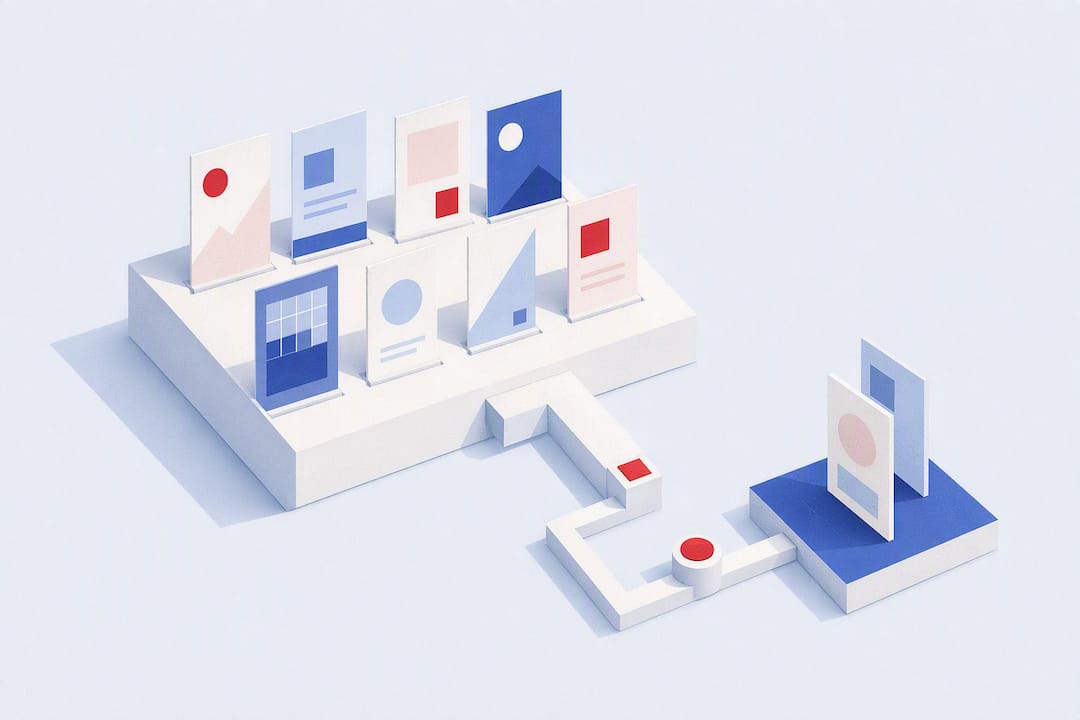
An ad library is the internal collection of creatives, templates, and variants that your team generates and validates with artificial intelligence before publishing them. The benefit is direct: you reduce money wasted on blind testing and increase the number of ideas you can test each week. Platforms such as POPJAM bring multiformat generation and synthetic audience testing into one workflow, so you do not need separate tools for creation and validation.
Key takeaways:
- A centralized ad library improves brand consistency, speeds up production, and reduces spending on blind tests.
- Tagging by format, funnel stage, offer, hook, and segment is essential for reuse and performance analysis.
- Generating and pretesting with synthetic audiences allows you to select 15 to 20 variants, saving resources and validating ideas before spending on media.
- Comprehension and intent metrics from pretests, together with live CTR and ROAS, determine when to scale a campaign or vary an ad.
- Disciplined management, a workflow scheduled by week, and clear roles keep the library organized and enable the creative team to scale.
Table of contents
- What an ad library contains and why to centralize it
- How to structure the library: taxonomy, metadata, and templates
- How to generate, pretest, and validate your ads in live campaigns
- The limits of synthetic personas that nobody tells you about
- Which metrics determine whether an ad moves into production
- Governance and procedures to keep the library organized
- Implementation checklist for 4 to 8 weeks
- Practical examples of successful ad libraries across industries
- Recommended tools and software for managing ad libraries
- How to adapt your ad library to different channels and advertising formats
- How an ad library affects creative and marketing team efficiency
- The author's perspective on scaling an AI creative factory
- Test your creatives before spending on media with POPJAM
- Sources
- Frequently asked questions
What an ad library contains and why to centralize it
A well-built ad library stores more than a collection of individual files. It brings together assets by format (image, video, carousel, and animation), the templates used to generate them, metadata describing their intended audience, and each piece's version history.
Centralizing this is not just an organizational preference. It is what separates a team that repeats mistakes from one that learns from every campaign.
- Brand consistency: everyone works from the same templates and visual style.
- Speed: you do not have to rebuild a winning ad from scratch for the next quarter.
- Reuse: a hook that worked in video can be adapted to a carousel without starting over.
- Media savings: every dollar spent on traffic goes toward variants that have already been screened, not blind tests.
Tools that gather references from multiple platforms in one place, such as Denote, demonstrate the same principle from another angle: keeping everything in a single workspace speeds up research and makes it easier to spot patterns that work in your category.
How to structure the library: taxonomy, metadata, and templates
A library without a taxonomy is just a folder with extra steps. You need a tagging system that anyone on the team can follow without asking.
- Tag by format: static image, short video, carousel, animation.
- Tag by funnel stage: discovery, consideration, conversion, remarketing.
- Tag by offer: discount, free trial, product launch, season.
- Tag by hook: pain point, curiosity, social proof, urgency.
- Tag by segment: the psychographic or demographic profile the variant targets.
The naming convention matters as much as the tags. A simple format, such as format_offer_hook_v2, prevents two people from uploading the same piece under different names and breaking the version history.
Templates for each format act as variation matrices: you define a basic structure (headline, image, call to action) and generate dozens of combinations by changing just one variable at a time. That lets you attribute a performance improvement to a specific element rather than a general change.
Pro tip: Always keep the control variant alongside its winners. Without that reference point, you cannot measure how much the new version actually improved.
How to generate, pretest, and validate your ads in live campaigns
The workflow that reduces wasted spending follows a clear sequence, not a “publish and see” instinct.
- Generate 15 to 20 variants, always including at least one control based on your best previous ad. This is the volume recommended by the method for prescreening with synthetic personas before committing real traffic, as described by Personia.
- Pretest with a calibrated synthetic panel. You are not looking for “I like it” or “I don't like it” here: measure comprehension, stated intent, and signs of confusion. A well-calibrated panel, with its size and profiles adjusted to real data, reproduces response patterns closer to those of real buyers, as documented in the Toluna white paper on synthetic personas.
- Select 3 to 5 finalists to take into an A/B test with real traffic. This is where media budget comes into play, after screening.
What to look for during the pretest:
- Was the message understood unambiguously?
- Did click or purchase intent increase compared with the control?
- Was there confusion about the offer or call to action?
This order reverses the usual “publish and pray” approach: instead of paying to discover what works, you pay only to confirm what already appears to work.
The limits of synthetic personas that nobody tells you about
Synthetic personas are useful precisely because they are fast and inexpensive to scale. That same quality is their biggest risk: it creates a false sense of certainty.
The greatest danger is not that synthetic personas get things wrong, but that they seem so certain that you stop questioning them. Results should be treated as working hypotheses, not verdicts, and high-risk decisions still need human validation.
This warning, raised in the ACM Interactions analysis of the synthetic persona fallacy, does not mean abandoning the tool. It means calibrating it: adjust the profiles using real data from your own buyers and do not trust a small panel with decisions that commit large budgets.
Always include comprehension questions in your synthetic tests, not just preference questions. Prioritizing clarity metrics over liking metrics is what separates a useful pretest from a decorative one.
Pro tip: If a variant produces synthetic results that look too good to be true, question the prompt before celebrating the finding.
Which metrics determine whether an ad moves into production
Pretest metrics and live metrics serve different purposes, and confusing them is a common mistake.
- Synthetic: message comprehension, stated intent, level of confusion.
- Live: CTR, CVR, ROAS, and consistency of results across segments.
Case studies on synthetic audiences compiled by neuroflash document improvements of up to +45% in ROAS, +22% in CVR, and +36% in CTR when synthetic pretesting precedes deployment to real traffic. The gain comes from raising the average quality of what reaches live testing, not from guessing the winner in advance.
Define thresholds before launch: for example, a variant only receives a budget increase if it beats the control's CTR by a consistent margin over at least 48 hours of stable traffic.
Governance and procedures to keep the library organized
Without clear roles, an ad library becomes a graveyard of duplicate files within two months.
- Assign a taxonomy owner who approves new tags before they multiply uncontrollably.
- Define a minimum approval checklist: complete tags, recorded version, attached pretest result, and format validated for the target platform.
- Establish a versioning policy: every iteration increments the version number and retains the previous test result, never overwriting it.
A documented case of an AI creative factory for Meta Ads describes an eight-stage workflow, from research to iteration, in which reusable brand knowledge and disciplined tagging make it possible to scale without losing consistency. Without those two components, the speed gained from AI is lost to disorder.
Implementation checklist for 4 to 8 weeks
You do not need months to build a working library; you need priorities.
- Weeks 1 to 2: choose two or three priority formats and create the base templates for each.
- Weeks 3 to 4: set up the synthetic panel, calibrate profiles with data from your real buyers, and connect exports to your main advertising platforms.
- Weeks 5 to 6: run the first complete cycle (generate, pretest, select finalists) and document the results in the library.
- Weeks 7 to 8: establish a weekly or fortnightly review schedule and set the initial metrics that will determine when to scale budget.
Pro tip: Do not try to cover all seven advertising formats in the first month. Master two with proper tagging before expanding the range.
Practical examples of successful ad libraries across industries
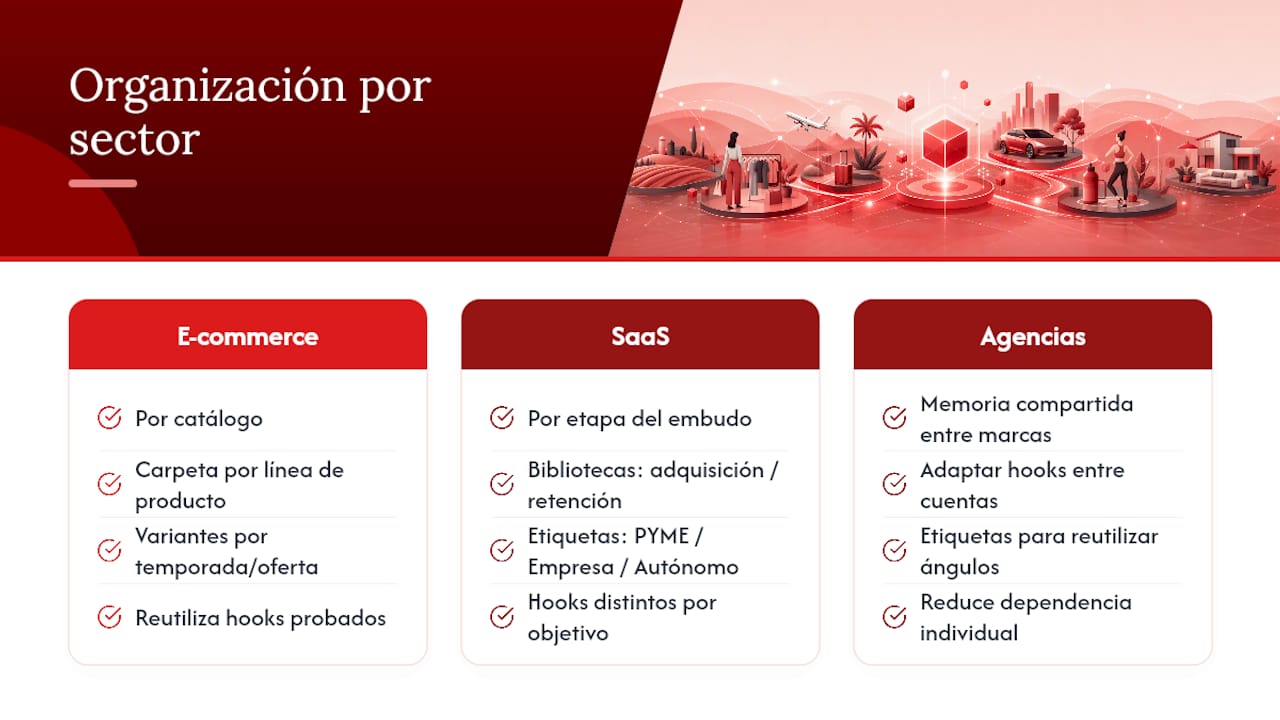
In e-commerce, a library is usually organized around the product catalog: each product line has its own folder of image and carousel variants tagged by season and offer. This allows you to reuse hooks proven for one product to quickly launch a campaign for a similar one, without rebuilding the creative work from scratch.
In SaaS, the organizing principle shifts toward the funnel stage. Growth teams often keep separate libraries for acquisition and retention because hooks that attract free-trial signups rarely work for converting users to a paid plan. Segment tags (small business, enterprise, self-employed) carry the most weight here.
At agencies managing several brands at once, the library serves as shared knowledge across accounts. With the right tags, an urgency hook that worked for a retail client can be adapted to a service business without the creative team having to reinvent the angle. This reduces reliance on one person who “remembers what worked” and turns that knowledge into an asset anyone on the team can consult.
The common pattern across industries is simple: the library works when its tags reflect how the team actually makes decisions, not how a generic manual says it should.
Recommended tools and software for managing ad libraries
Not all tools solve the same problem. Some focus on inspiration and competitive benchmarking, while others focus on generation and internal testing.
For inspiration and tracking industry trends, aggregators such as Denote let you explore ads from multiple platforms in one dashboard, which helps you spot patterns before designing your own variation matrix.
For internal work (generating, tagging, pretesting, and exporting), you need a platform that covers the full cycle without switching between tools. POPJAM serves that role by combining video ad generation, animated formats and synthetic audience testing in the same workflow, with exports ready for the main advertising platforms.
The practical choice depends on team size and the volume of creatives you generate each month. A small team can get by with spreadsheets and well-named folders for a while. A team producing dozens of variants a week needs automatic tagging, version history, and an integrated testing panel, or the library becomes unmanageable within weeks.
How to adapt your ad library to different channels and advertising formats
Every advertising platform imposes its own format restrictions, and a useful library anticipates those differences instead of reacting to them.
An ad designed for a vertical short-video feed rarely works in a landscape carousel without adjustments, even when the core message is the same. Templates should therefore be defined by aspect ratio and duration, not just creative concept. Tagging every asset with the exact platform and format it was exported for prevents the team from publishing a badly cropped piece or one with cut-off text.
Exports prepared for multiple platforms solve part of this problem automatically, but do not replace checking how each piece looks in its actual context. A carousel ad that works on a shopping platform may need less overlaid text on another platform where the algorithm penalizes excessive text in images.
The practical rule is simple: generate the winning variant in its original format and then adapt it, not the other way around. Trying to design one asset that works equally well across all seven main formats almost always produces a mediocre result in all of them.
How an ad library affects creative and marketing team efficiency
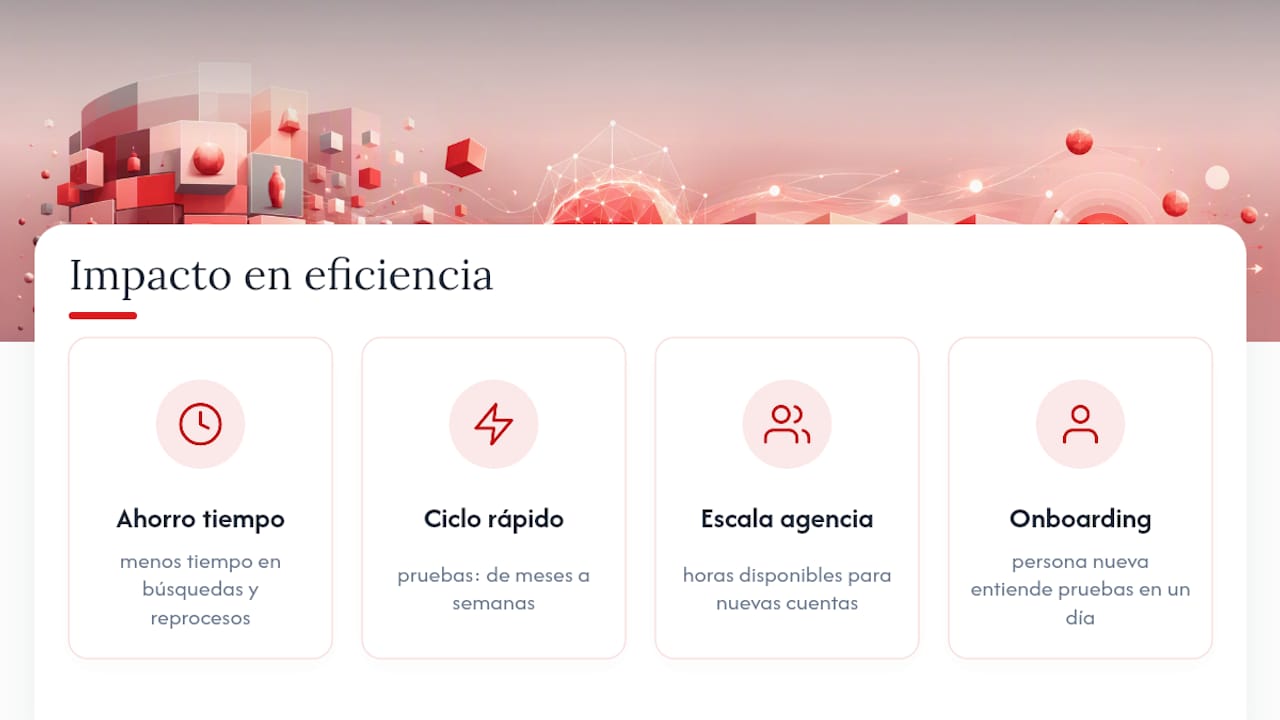
The most measurable effect of an organized library is not the quality of an individual ad. It is how much time is no longer wasted on repetitive tasks.
A team without a centralized library spends a substantial part of every campaign cycle searching for the latest version of an asset, asking who approved which copy, or recreating a design that already existed in another folder. That time does not appear in any performance report, but it shows in how many new campaigns the team can launch each quarter.
A faster experimentation cycle is the most frequently cited benefit of introducing synthetic personas into the workflow: what once took months of sequential A/B testing can be compressed into weeks when weak variants are discarded before spending budget on real traffic, as noted in the Personia analysis of variant prescreening.
For agencies managing several accounts, this effect multiplies. Every hour a designer does not spend rebuilding an asset from scratch is an hour available for a new account. For in-house growth teams, the library also acts as instant onboarding: a new colleague can understand in a day which messages, formats, and offers have already been tested, instead of reconstructing that knowledge through months of trial and error.
The author's perspective on scaling an AI creative factory
The temptation with generative AI is to speed up before creating a system. That is a mistake. Without standard procedures for tagging and shared brand knowledge, generating more variants just creates more chaos to sort out later.
The real competitive advantage is not fast generation, but connecting performance data to the next round of generation. It helps to be clear about AI's role here: it screens out weak hypotheses before you spend budget; it does not make the final decision alone. That remains the team's responsibility.
Doruk
Test your creatives before spending on media with POPJAM
POPJAM is the alternative to generating ads blindly and discovering weeks later what went wrong: it generates image, video, carousel, and animated creatives from a single URL and tests them with synthetic audiences before you spend a euro on media.
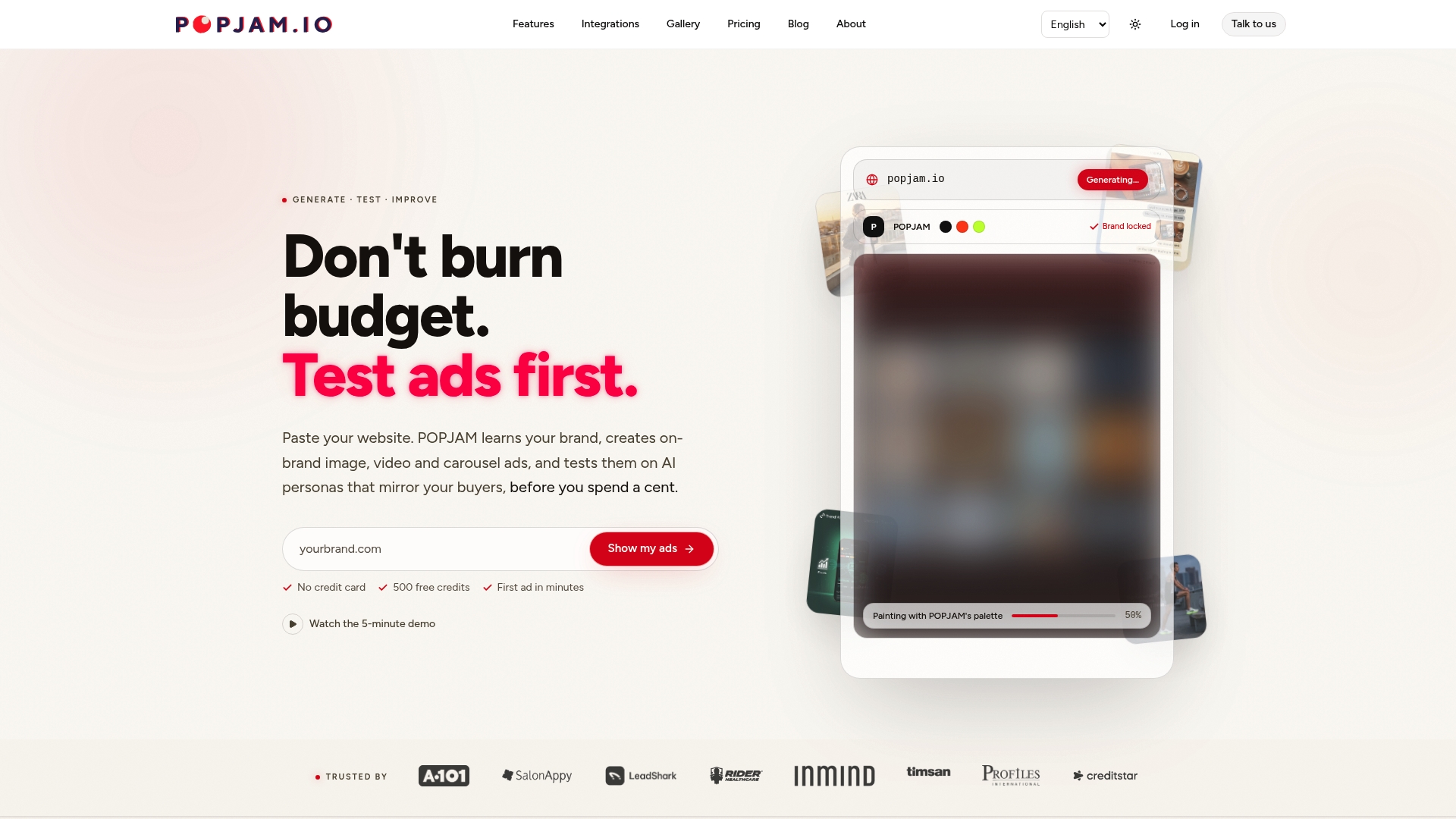
The platform covers the full cycle without switching between tools: multiformat generation, simulated psychographic feedback, e-commerce catalog integration, and exports ready for the main advertising platforms, all without needing real customer data. You can start with the free ad testing tool to validate your first batch of variants, or review the available plans to choose the one that best fits your team's needs. If you manage accounts for several clients, the agency version organizes the generation and testing workflow by client. The next step is simple: enter your URL and see which variants pass the screening before deciding where to put your budget.
Sources
- A/B Testing With Synthetic Personas: Pre-Screening Variants Before You Commit Real Traffic | Personia
- The synthetic persona fallacy: how AI-generated research undermines UX research | ACM Interactions (blog)
- Case study: an AI creative factory for Meta Ads | Mago Allegri
Frequently asked questions
What exactly is an ad library?
It is the internal collection of creatives, templates, and variants generated and validated with AI within a platform, ready for publication or testing. It should not be confused with a public repository of other advertisers' active ads; here, we mean your own organized and tagged assets.
How many variants should I generate before a pretest?
The recommendation is to generate 15 to 20 variants, always including a control based on your best previous ad. This volume gives synthetic pretesting enough room to screen options before moving to real traffic.
Can I fully trust results from synthetic personas?
Not as a final verdict. Treat them as working hypotheses and reserve human validation for high-risk decisions, as the ACM Interactions analysis of this method's limitations warns.
How much does it cost to use POPJAM to create and test my ad library?
POPJAM offers several subscription plans, including free options and enterprise plans with pricing on request. For more information on prices and plans, see the pricing page.
Which metrics indicate that an ad is ready for production?
Combine comprehension and intent signals from synthetic pretesting with CTR, CVR, and ROAS from real traffic. Cases documented by neuroflash show improvements of up to +45% in ROAS when both steps are combined correctly.