

Ad Teams, Cut 4–6 Days: Ad Approval Workflow for Platform Review + AI
Ad teams: stop version fights and speed launches. Name one approver, tie sign-off to version IDs, plan for platform review time, and use AI prelaunch...

An ad approval workflow is the defined sequence that takes a creative from draft to live, with clear stages, named reviewers, and one point of sign-off. The single rule that fixes most delays: name one approver, and tie every approval to a specific version. Do that, and you cut the endless “wait, which version is this?” threads that create most rework. Fewer revision cycles, faster launches, and no more guessing who actually said yes.
TL;DR:
- Tying approval to a specific version ID and requiring a single named approver reduces rework caused by version confusion and unclear sign-off responsibility.
- Defining clear approval stages with entry and exit criteria, review windows, and escalation processes helps accelerate reviews and avoids bottlenecks.
- Using role-specific reviewers—craft, compliance, and performance—streamlines feedback without giving any one group full final authority, which speeds decision-making.
- Tracking approval time, revision cycles, and stage delays identifies bottlenecks and ensures campaigns launch on schedule, especially when combined with automation tools.
- Integrating AI testing for creative resonance provides faster subjective feedback, reducing back-and-forth and helping humans make quicker, more informed approval decisions.
Table of Contents
- How to Build an Ad Approval Workflow That Actually Works
- Who Reviews, Who Advises, and Who Signs Off?
- What Approval States and Version Controls Prevent Rework?
- Which Tools and Automations Actually Remove Bottlenecks?
- What KPIs Actually Show Whether Your Workflow Is Working?
- How Do Platform Ad Reviews Affect Your Launch Schedule?
- When Should You Fast-Track an Approval?
- What Belongs on Your Pilot Checklist?
- Can AI Testing Speed Up Subjective Rounds of Approval?
- Three Failure Modes Every Ad Team Eventually Hits
- A Faster Way to Reach Approval Confidence
- Sources
- FAQ
How to Build an Ad Approval Workflow That Actually Works
Most teams already have an approval process. It just lives in Slack threads, email chains, and someone’s memory. Building a real ad approval workflow starts with mapping what already happens, not inventing something new from scratch.
Here’s the sequence that works for most ad teams, regardless of size:
- Map your current state. Pull your last five to ten campaigns and trace every step a creative actually took, from first draft to going live. Note where things stalled. You’ll almost always find the same one or two chokepoints repeating.
- Define your gates. Most workflows need five: draft, internal review, compliance check, final sign-off, and handoff to launch. Fewer gates than that and you lose quality control; more, and you’re adding bureaucracy for its own sake.
- Set entry and exit criteria for each gate. A creative can’t enter “final sign-off” without a locked brief and completed compliance check. It can’t exit without a named approver’s signature tied to a specific version ID.
- Set review windows. Give each stage a maximum turnaround, generally 24 to 48 hours for most stages, and build in automatic escalation if that window is missed.
- Write your change-control rules. Decide upfront what triggers a full restart of review (new copy, new claims, a swapped image) versus what qualifies as a quick recheck (a color tweak, a resized crop). This single distinction, applied consistently by creative teams designing review workflows, prevents the most common source of wasted review cycles.
- Pilot it on one campaign before rolling it out wide. Run the new gates on a single launch, track where it breaks, and fix before scaling.
Pro Tip: Lock your brief before the first draft gets made, not after. A brief-lock checklist, covering targeting, landing page, and required variants, stops half of all “wait, that’s not what we asked for” revision loops before they start.
Who Reviews, Who Advises, and Who Signs Off?
Every ad approval process needs three distinct reviewer categories, and confusing them is what creates bottlenecks. A craft reviewer checks brand fit and visual quality. A compliance reviewer checks platform policy and legal claims. A performance reviewer checks whether the creative matches what’s actually converting for your audience. None of these three should have the final word alone.
That final word belongs to one named decision owner, documented in writing, not implied by seniority or job title.
- Craft reviewers flag brand and design issues but don’t have sign-off authority.
- Compliance reviewers can block a launch outright on policy grounds; that veto should be explicit in your workflow documentation.
- Performance reviewers advise on creative direction based on past campaign data but don’t gate the launch.
- The named approver is the single person whose sign-off moves a creative to “approved.” Document this person by name, not by role, for every campaign.
- Guest reviewers, like a client or an external legal counsel, get view and comment access but their feedback still routes through your named approver, never around them.
Template language that works well in a brief or workflow doc: “Final approval rests with [name]. All feedback from craft, compliance, and performance reviewers must be resolved or explicitly overridden by [name] before a creative moves to Approved.” That single sentence, posted where every stakeholder can see it, eliminates most of the “I thought someone else signed off” confusion that stalls launches.
What Approval States and Version Controls Prevent Rework?
Ambiguity about which version got approved is one of the costliest, and most avoidable, failures in any ad approval workflow. The fix is explicit states tied to explicit versions.
Use a small, fixed set of canonical states: Draft, In Review, Changes Requested, Approved, and Live. Every asset should show one of these five, never a vague “pending” that could mean anything.
- Every version gets a unique ID, a timestamp, and a record of which channels it’s approved for.
- “Approved” should specify use case: approved for Meta feed placements doesn’t automatically mean approved for Stories or for a different aspect ratio.
- Automated pre-checks should run before any human touches the file: correct dimensions, valid tracking links, active SSL on the landing page, and page load readiness.
- A single unauthorized swap, like a headline edit made after “Approved,” should force the asset back to Draft, not slide through as a minor tweak.
Best practice from creative operations teams ties sign-off explicitly to a version, separating “feedback” from “approval” entirely, which alone can cut four to six days of rework per creative for teams that were previously relying on scattered comment threads.
Pro Tip: Once a creative reaches “Approved,” lock the file. Any edit, even a typo fix, should require a fresh version ID and a fresh approval, not a silent patch to the same file.

Which Tools and Automations Actually Remove Bottlenecks?
The right tool for an ad approval process isn’t about the flashiest features. It’s about which capabilities eliminate manual handoffs without removing human judgment from the decisions that need it.
Prioritize these capabilities when evaluating any approval tool:
- On-asset commenting so feedback attaches directly to the pixel or frame in question, not a separate email describing “the logo on the third slide.”
- Version history that preserves every prior draft and who touched it.
- Role-based permissions so a guest reviewer can comment but can’t accidentally hit “Approve.”
- Audit logs that record every state change, timestamp, and name, exportable for compliance review.
- Automatic routing and escalation so a stalled review pings the right person without someone having to remember to nag.
The fastest wins come from automating coordination first, not decisions. Routing notifications, deadline reminders, and status changes deliver more immediate speed than trying to automate the actual editorial judgment calls. Save that automation for after the basics are solid.
Look for integration with your creative editors, project management system, ad platforms, and Slack, since a workflow that requires a separate login just to check status will get ignored within a month. When evaluating a tool, test guest access, confirm the audit trail exports cleanly, and check it actually supports your content types, video and animation included, not just static images.
What KPIs Actually Show Whether Your Workflow Is Working?
You can’t fix a bottleneck you haven’t measured. A handful of KPIs tell you almost everything about whether your ad approval workflow is functioning.
- Average approval time, from first submission to final sign-off.
- Time in each stage, which tells you exactly where creatives get stuck, not just that they’re stuck somewhere.
- Revision cycles per asset, since a creative bouncing back three or more times usually points to a brief problem, not a review problem.
- On-time publication rate, the share of campaigns that launched on the originally scheduled date.
- Bottlenecks by stage, tracked over multiple campaigns to spot a pattern versus a one-off.
These five metrics, recommended as the core set for monitoring approval workflows, reveal both raw speed and process quality, which matters because a fast approval that skipped compliance review isn’t actually a win.
Even a basic spreadsheet tracking submission date, each stage timestamp, and reviewer name will surface your worst bottleneck within two or three campaign cycles. Review these numbers monthly, and keep a short runbook for the one or two chokepoints that repeat, so fixing them doesn’t require reinventing the process every time.
How Do Platform Ad Reviews Affect Your Launch Schedule?
Your internal workflow only controls half the timeline. The other half belongs to the ad platform itself, and it runs on its own clock.
Most Google Ads reviews complete within one business day, though more complex reviews, think financial services or healthcare claims, can take longer. Display & Video 360 handles creative review automatically, often within hours, but creatives assigned to line items can face additional exchange-level reviews on top of that, and a creative can be approved on one exchange while rejected on another.
Here’s the part that trips up even experienced teams: any edit to an approved ad or landing page restarts the platform review from zero. That includes swapping a headline, updating a price, or changing the destination URL.
- Submit creatives several days ahead of your target launch date, never the morning of, to absorb platform review time without risking a missed start.
- Keep a servable, already-approved creative assigned to the line item at all times so a new version under review never leaves you with nothing live.
- If a review runs past 48 hours, check the ad or asset review status directly, refresh the interface, and confirm you’re checking the correct child account inside your manager account.
- If it exceeds a full week, contact platform support directly rather than resubmitting, which just restarts the clock again.
When Should You Fast-Track an Approval?
Not every creative needs the full five-gate process, but skipping gates should follow rules, not panic.
- Fast-track eligibility: minor copy tweaks, resized crops, or a swapped background image on an already-approved concept, requestable only by the original named approver.
- Full restart triggers: new claims, new imagery, a different offer, or any change to targeting or landing page.
- Risk tiers: low-risk assets (organic-style social posts) need one reviewer; medium-risk (paid social with pricing) need craft plus compliance; high-risk (regulated categories, big-budget launches) need all three reviewer types plus the named approver.
- Escalation fallback: if the named approver misses the review window, ownership passes automatically to a designated backup, never left to sit unresolved.
What Belongs on Your Pilot Checklist?
A workable pilot needs a short brief-lock checklist and a small set of fields captured at every approval.
- Brief-lock items: campaign brief, target audience, landing page URL, and required variant list, all attached before the first draft.
- Approval fields to capture: approver name, timestamp, version ID, and approved channels.
- Review windows: 24 hours for craft, 48 hours for compliance, with escalation triggered automatically past those marks.
| Element | What to capture |
|---|---|
| Approver | Full name, not role title |
| Version ID | Unique per file, tied to timestamp |
| Approved channels | Specific placements, not “all” |
| Escalation contact | Backup approver, named |
Acceptance criteria should be format-specific: a static image needs correct aspect ratio and legible text at thumbnail size; a video needs captions and a hook within the first three seconds; a landing page needs working links and active SSL, confirmed before submission using a pre-launch readiness checklist.
Can AI Testing Speed Up Subjective Rounds of Approval?
Most rework doesn’t come from broken links or wrong dimensions. It comes from subjective disagreement: does this creative actually resonate? Some AI platforms address that gap by generating ad creatives and testing them against synthetic buyer personas before a human reviewer evaluates them. That psychographic feedback can help provide evidence to inform approval decisions. Combined with Slack integration for routing and DCO insights on what’s already working, teams running high creative volume, particularly performance marketers testing variants before launch, get a faster path to a defensible approval.
Three Failure Modes Every Ad Team Eventually Hits
Version ambiguity kills more launches than bad creative does. Tie every sign-off to a version ID, and the “which one did you approve?” fights disappear.
No named approver is the second-most-common failure. Vague ownership means every review becomes a committee vote, and committees are slow by design.
The third mistake is subtler: automating routing and reminders before the team agrees on who decides what. Automation should speed up coordination, not paper over unresolved decision rights. Get the people and roles right first, then let the software chase the deadlines.
— Doruk
A Faster Way to Reach Approval Confidence
Waiting on subjective feedback rounds is often the slowest part of the whole approval chain, slower than any platform review. POPJAM shortens that specific bottleneck: generate creative variants and test them against synthetic buyer personas before your named approver ever has to guess whether an ad will land.
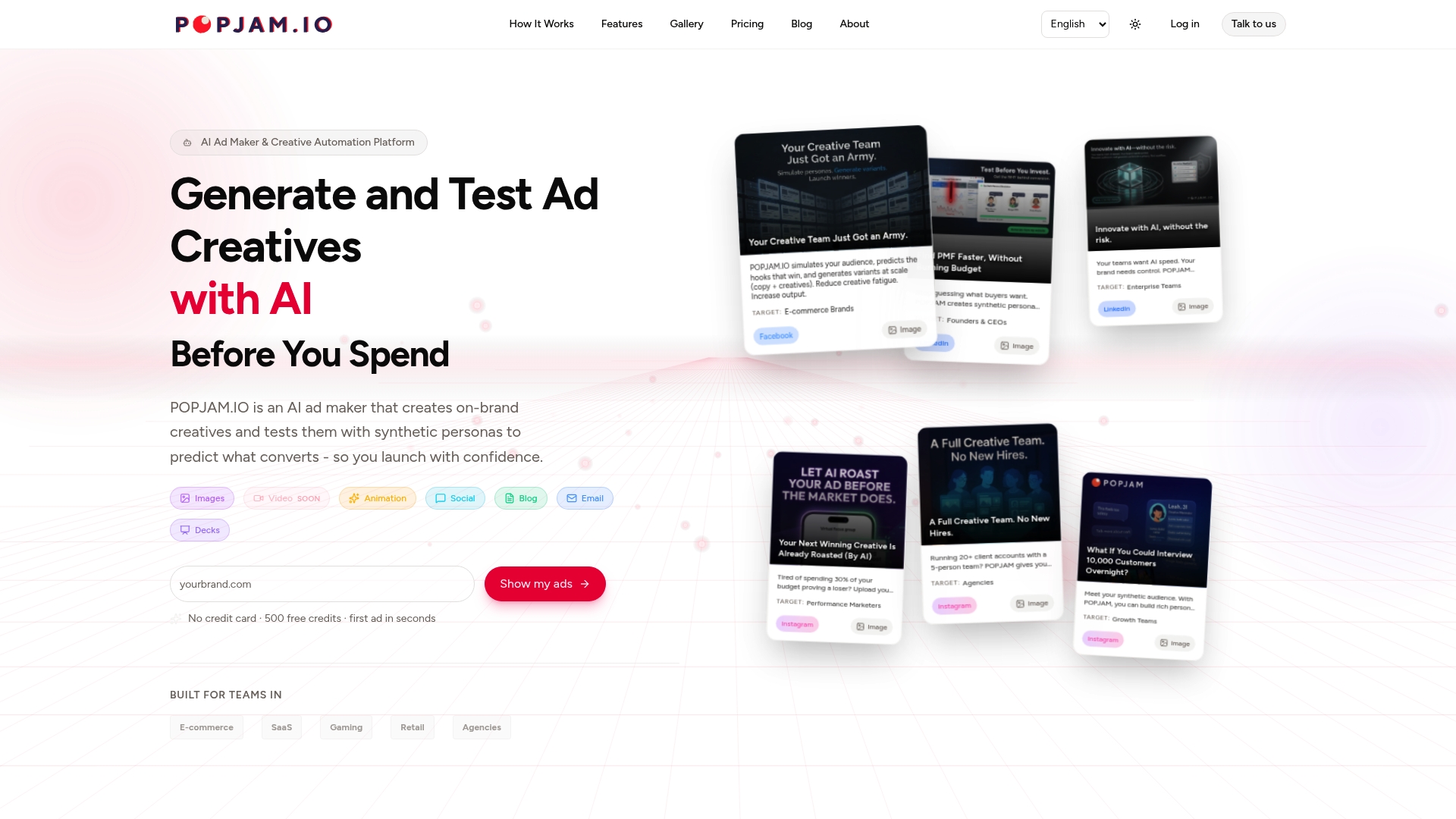
The feedback comes back as real psychographic signal, not another round of “I don’t love it,” which gives compliance and craft reviewers something concrete to sign off against. That’s a meaningful edge for performance marketers, e-commerce teams, and agencies running enough creative volume that subjective back-and-forth is eating real launch time. If that sounds like your team, start with the AI ad generator and run your next batch of variants through synthetic testing before your next scheduled launch window.
Sources
Platform review timing and restart rules come directly from Google Ads’ own review process documentation and the Display & Video 360 creative review guide. Workflow structure and KPI guidance draw on operational playbooks for creative review and approval design and content approval speed benchmarks, alongside campaign planning practices from organic growth-focused digital campaign guidance.
- About the ad review process - Google Ads Help
- How Should a Studio Design a Creative Review and Approval Workflow?
- Boost Ad Speed: Content Approval Workflow 2026
FAQ
What Is an Approval Workflow?
An approval workflow is a defined sequence of stages, gates, and named reviewers that a piece of work must pass through before it’s considered final and ready to publish or launch.
What Are the Steps in the Approval Process?
Most ad approval workflows use five stages: draft, internal review, compliance check, final sign-off, and handoff to launch, each with entry and exit criteria and a maximum review window.
How Long Does It Take Meta or Google to Approve Ads?
Most Google Ads reviews complete within one business day, though complex reviews can take longer; any edit to a live or submitted ad restarts that review from the beginning.
What Is the Difference Between a Workflow and an Approval Process?
A workflow is the full end-to-end sequence, including drafting, feedback, and routing; an approval process is the narrower subset focused specifically on sign-off gates and decision rights within that larger workflow.
Can AI Testing Replace Human Approval Sign-Off?
No. AI tools like POPJAM’s synthetic persona testing provide evidence to inform a human approver’s decision faster, but the named approver still holds final sign-off authority.