

Scale Faster: Google Ads Creative Testing With Experiments and Persona Tests
Use a two stage Google Ads creative workflow: concept tests, element A/Bs, and Google experiments. Add persona pretests to validate winners before you spend.

Run a two-stage creative test: start with broad concept tests, then narrow into focused element A/Bs once a direction wins. Use campaign-level incremental conversions, not ad-level CTR, as your primary KPI. Lean on Google’s own experiment tools, ad variations, custom experiments, and Performance Max asset testing, to get there faster and with cleaner data.
TL;DR:
- Testing multiple creative concepts at once should be limited to three to five directions to prevent dilution and ensure faster results.
- Focus on campaign-level metrics like incremental conversions, not ad-level CTRs, to accurately measure the true impact of creative changes.
- Validate winning creatives across different audience segments and over time to confirm that results are not driven by specific conditions or temporary novelty effects.
- Use hypothesis-driven testing with clear conversion thresholds, fixed schedules, and documentation to avoid invalidating results through mid-test edits or overlapping experiments.
- Prelaunch audience simulation and AI-driven creative generation can help identify promising ideas early and reduce wasted spend on unviable concepts.
Table of Contents
- Core creative-testing methods for Google Ads
- Plan a repeatable test: hypothesis, sample size, and timeline
- How many variations to test and design trade-offs
- How to interpret test results and avoid metric traps
- How to scale a winning creative responsibly
- Google Ads experiment types: variations, custom tests, and Performance Max
- Common mistakes and pitfalls that invalidate creative tests
- Audience and segmentation: when to split tests vs keep broad
- Prelaunch persona simulation as a complement to Google experiments
- Methods for testing video and responsive ad creatives
- Legal and brand compliance considerations during creative testing
- How to integrate creative testing insights into broader campaign strategy
- Tools and software that complement Google Ads creative testing
- Best practices for iterative creative development post-test
- Author’s quick test blueprint
- Validate creatives with POPJAM before you spend on live tests
- FAQ
- Sources
Core creative-testing methods for Google Ads
Concept testing and element A/B testing solve different problems, and mixing them up is where most testing programs go sideways.
Concept testing asks a big question: which overall creative direction resonates? You’re comparing 3 to 5 distinct ideas, different hooks, different value props, different visual styles, to find the one worth building on. Element A/B testing asks a narrower question: within a winning concept, which headline, CTA, or image performs best? It’s a 1:1 comparison, tight and controlled.
Performance Max asset testing works differently from a standard campaign A/B. Instead of splitting traffic between two full campaigns, Performance Max asset testing measures the incremental impact of adding specific text, image, or video assets within a single campaign by splitting traffic between control and treatment arms.
Responsive formats add another wrinkle. With RSAs and asset-combiner formats, Google’s system assembles headlines and descriptions on the fly, so the “ad” isn’t a fixed unit anymore. That changes what you’re actually testing:
- Concept tests compare creative direction, not single lines of copy.
- Element A/Bs isolate one variable (headline, CTA, image) while holding everything else constant.
- Performance Max asset tests measure the lift from adding or removing specific assets.
- Responsive formats shift the testing unit from “the ad” to “the asset pool,” so track asset-level performance where Google exposes it.
Plan a repeatable test: hypothesis, sample size, and timeline
A test without a hypothesis is just noise with a budget attached. Before you launch anything, write one sentence: “We believe [this change] will improve [this KPI] because [this reason].” That sentence becomes your filter for every decision that follows.
Here’s a practical sequence for setting one up:
- Pick a single primary KPI (incremental conversions, not clicks or CTR) and write down the hypothesis that connects your creative change to that KPI.
- Set a conversion threshold before you start. A reasonable rule of thumb is to have enough conversions per variation to reach a readable signal, though Google’s experiment guidance notes that traffic splits don’t guarantee equal delivery because auction dynamics can shift exposure between arms.
- Allocate traffic evenly where the platform allows it, and budget enough spend that both arms can realistically hit your conversion threshold within the test window.
- Schedule the test for a fixed window, generally at least one week minimum, and avoid launching overlapping experiments on the same campaign or audience.
- Document everything: test name, hypothesis, start and end dates, and a freeze rule that locks creative and targeting settings for the duration.
That last step matters more than it sounds. Our search ad testing playbook walks through how a mid-test edit, even a small one, can quietly invalidate weeks of data collection.
How many variations to test and design trade-offs
More variations feel productive, but they dilute your signal and slow down your path to a clear answer.
- At the concept stage, cap it at 3 to 5 directions. Beyond that, traffic gets spread so thin that none of them reach statistical confidence in a reasonable timeframe.
- At the element stage, go back to 1:1 A/B tests. You’re isolating a single variable, a headline or a CTA, and that only works cleanly with two arms.
- Larger multivariate tests have a place, but only when you have enough conversion volume to support them. For most accounts, that’s rare.
- Sequence matters: validate concept direction first, then test elements within the winner. Running both at once just confuses attribution.
Every extra variation adds time-to-significance. A 5-way concept test with modest daily conversions can take weeks to resolve. A focused 1:1 element test on the winning concept resolves faster because all the traffic concentrates on two arms instead of five.
How to interpret test results and avoid metric traps
Ad-level CTR and conversion rate look like obvious scoreboards, but they can actively mislead you in Google Ads. Google’s own guidance explains that responsive search ads qualify for additional auctions based on how the system assembles assets, which means ad-level metrics don’t reflect true business impact the way campaign-level numbers do.
Google Ads Help recommends focusing on incremental impressions, clicks, and conversions at the ad-group or campaign level rather than comparing individual ad performance, because auction-level dynamics can distort what looks like a clear winner at the ad level.
A few practical checks before you call a test:
- Confirm you’ve hit your pre-set conversion threshold on both arms, not just one.
- Check whether the lift holds at the campaign level, not only within one ad group.
- Watch for a swing that reverses direction mid-test, a sign you need more time, not a verdict yet.
- If results are inconclusive after your planned window, extend the test rather than declaring a loser on thin data.
Performance Max A/B asset experiments are typically recommended to run for multiple weeks to reach conclusive results, which is a useful benchmark even outside Performance Max.
How to scale a winning creative responsibly
A winning test result isn’t a finish line, it’s a starting point for careful rollout.
Before you push a winner everywhere, validate it against a small holdout segment or a secondary campaign. This confirms the lift wasn’t a fluke tied to one audience or one week’s auction conditions. Once confirmed, apply the winning message pattern, not just the exact asset, across related ad groups and campaigns that share a similar audience.
- Hold out a small segment to confirm the lift generalizes before full rollout.
- Translate the winning hook or structure into templates for adjacent campaigns rather than copy-pasting one ad everywhere.
- Set a calendar reminder to re-test in 60 to 90 days, since creative fatigue erodes performance over time.
- Watch for a novelty bump in the first week post-rollout that fades, a common pattern that can be mistaken for sustained lift.
Pro Tip: Keep a simple log of every scaled winner and its rollout date, so a later performance dip is easy to trace back to creative fatigue instead of a mystery.
Google Ads experiment types: variations, custom tests, and Performance Max
Google gives you three distinct tools, and picking the wrong one for your test design wastes both time and budget.
Ad variations are built for text-level changes applied at scale across campaigns or an entire account. They support scheduling and traffic-split settings, and once a variation proves out, you can apply it broadly in a few clicks. Custom experiments give you more structural control, letting you test bigger changes like bidding strategy or landing page alongside creative. Performance Max asset testing is the right tool when your question is narrower: does adding this specific image or video asset move the needle within one existing campaign?
- Use ad variations for scaled text testing across multiple campaigns at once.
- Use custom experiments when you’re testing structural changes beyond creative alone.
- Use Performance Max asset tests to measure the incremental value of one new asset within a single campaign.
Traffic splits and locked assets both shape how long a test needs to run. Google’s Experiment Guidance System factors in your account’s typical conversion volume to estimate a reasonable test length, but it’s still worth padding your own timeline rather than cutting a test short the moment it looks promising.
Rotation and pinning deserve a careful hand. Google’s guidance recommends pinning only one or two headlines in a responsive search ad, since over-pinning restricts the system’s ability to recombine assets and test combinations on its own.
Pro Tip: Pin only the headline or description that’s legally or factually required to stay fixed, like a disclaimer, and let the rest of the asset pool rotate freely.
Common mistakes and pitfalls that invalidate creative tests
Most failed tests trace back to a handful of repeatable errors.
- Editing assets or settings mid-test, which resets the clock on whatever learning the algorithm had accumulated.
- Running two overlapping experiments on the same campaign or audience, which makes it impossible to attribute a result to either one.
- Testing five variables at once with no hypothesis, which leaves you with data but no explanation.
- Trusting ad-level CTR in formats that qualify for additional auctions, where a high click rate doesn’t necessarily mean a healthier campaign.
Audience and segmentation: when to split tests vs keep broad
Segmenting a test only makes sense when you have a specific, persona-driven hypothesis, not as a default setting.
If you believe two audience segments respond to genuinely different messaging, say, price-sensitive shoppers versus brand loyalists, that’s worth a segmented test. Otherwise, keep the test broad to preserve conversion volume and reach significance faster.
- Segment only when you can state a clear psychographic or behavioral reason the groups should differ.
- Prelaunch persona simulation can surface those differences before you spend a dollar on live traffic.
- Use a small cross-segment holdout to confirm a winning creative generalizes before scaling it account-wide.
Prelaunch persona simulation as a complement to Google experiments
Live experiments cost time and budget to resolve, which is exactly where simulated audience feedback earns its keep before launch. Running creative concepts against synthetic buyer personas surfaces directional signal and obvious misses early, which matters most for low-volume campaigns or when production costs make every live test expensive.
Methods for testing video and responsive ad creatives
Video and responsive formats don’t behave like static search ads, so testing them calls for a slightly different setup.
For video, the biggest lever isn’t the whole ad, it’s the first few seconds. Test opening hooks as their own variable: a product shot, a question, a bold claim. Google’s Performance Max asset testing lets you measure whether adding a new video asset lifts performance within an existing campaign, which is often more useful than building an entirely separate video campaign just to compare two cuts.
For responsive search ads, the testing unit shifts from “the ad” to “the asset pool.” Rather than comparing Ad A to Ad B, you’re comparing which headlines and descriptions the system favors within one pool, and testing whether adding a new headline changes the combination mix. Google’s best-practice guidance recommends limiting how many elements you change at once and documenting clear start and end times so you can read results cleanly.
A few practical notes for both formats: give video tests extra runway since view-through behavior takes longer to stabilize than click behavior, and resist the urge to pin multiple assets in a responsive ad just to “control” the test, since that limits exactly the recombination data you’re trying to collect. For a deeper walkthrough on video-specific testing structures, our YouTube ad testing guide covers how prelaunch review pairs with live experiments for video assets specifically.

Legal and brand compliance considerations during creative testing
Testing faster doesn’t mean testing loosely, and a rushed concept test is still subject to the same rules as any live ad.
Every variation, even an early concept draft, needs to clear basic claims review before it reaches real audiences. That means checking substantiation for any performance claim, pricing statement, or comparative language before a test ever launches, not after it wins. Platforms enforce their own ad policies regardless of testing status, so a variation that violates Google’s advertising policies gets disapproved whether it’s “just a test” or a scaled winner.
Brand compliance runs parallel to legal review. A concept test exploring a bolder tone or an edgier hook still needs to stay within whatever brand guidelines govern logo use, color, voice, and claims. It’s worth building a lightweight compliance check into your test documentation step, the same place you log hypothesis and dates, so nothing reaches auction without a second set of eyes. For regulated categories like finance, health, or legal services, this check matters even more, since platform policies and regional advertising rules both apply simultaneously.
How to integrate creative testing insights into broader campaign strategy
A winning test result that lives only in a spreadsheet isn’t doing its job. The real value shows up when a finding from one campaign shapes decisions across the account.
Start by translating a winning concept into a messaging principle rather than a single asset. If a direct, benefit-led headline beats a clever one in your test, that’s a pattern worth applying to upcoming campaigns, not just the one ad group where it won. Feed interpretation-stage findings into your creative brief template so the next round of concepts starts from what’s already been validated instead of from scratch.
Testing insights should also inform media planning. A concept that performs well in Search might inform the opening hook of a YouTube ad, and a Performance Max asset win can point toward which images deserve a bigger production budget next quarter. Treat your test log as a shared resource across teams, creative, media buying, and strategy, so a lesson learned in one campaign doesn’t get re-learned the hard way in another six months later.
Tools and software that complement Google Ads creative testing
Google’s native experiment tools handle execution and measurement, but a few categories of tools support the planning and pre-launch stages well.
Spreadsheet or project templates for documenting hypotheses, thresholds, and freeze dates keep a testing program disciplined once more than one person touches the account. Analytics platforms layered on top of Google Ads help confirm that an incremental conversion lift at the campaign level actually shows up downstream in revenue or signups, not just in-platform conversion counts.
For the creative generation and pre-launch validation stage specifically, our AI Google Ad generator produces Google-format assets, images, video, and responsive ad components, and supports testing them against synthetic audience feedback before they ever reach a live auction. That kind of prelaunch check complements Google’s in-platform experiments rather than replacing them: one validates direction before spend, the other measures real auction performance after launch.
Beyond creative tools, general resources on ad spend efficiency are worth keeping in your back pocket. This guide on improving return on ad spend covers practical angles on optimizing headlines and descriptions that pair well with the interpretation steps above.

Best practices for iterative creative development post-test
A test result is a data point, not a destination. The accounts that improve quarter over quarter treat every test as input into the next round of creative, not a one-off event.
Build a short retrospective into your process after every test: what won, why you think it won, and what you’d test next based on that result. Keep a running library of validated headlines, hooks, and visual styles so new campaign briefs start from evidence instead of guesswork. When a format or platform update changes how assets get served, like a new responsive ad feature or a Performance Max update, revisit your asset pool rather than assuming last quarter’s winners still hold. A visual content checklist can help keep creative hygiene consistent as that library grows across campaigns and team members.
Author’s quick test blueprint
Pick your KPI, run a 3-concept test for 2 to 4 weeks or until you hit 50 conversions, then follow with 1 or 2 element A/Bs. Non-negotiables: a written hypothesis, a freeze period, zero mid-test edits.
— Doruk
Validate creatives with POPJAM before you spend on live tests
We built our platform around a simple idea: generate on-brand ad creatives with AI, then test them against synthetic buyer personas before a single dollar reaches a live auction. That pre-launch step gives you directional feedback on which concepts are worth running through the Google Ads workflow above, instead of guessing which 3 to 5 directions deserve your test budget.
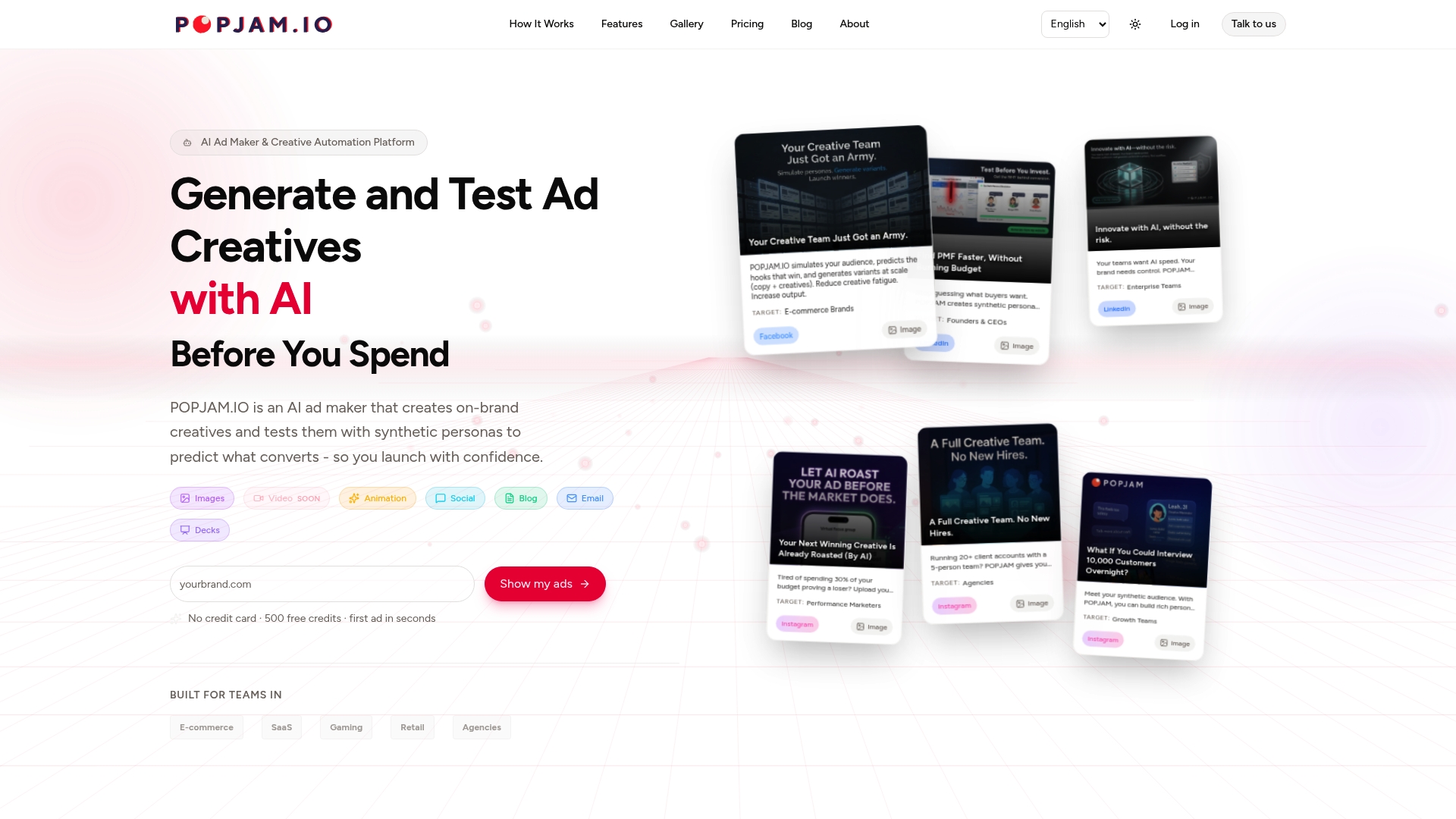
If you want to see how it works with your own creative, our free ad-testing tool is the fastest way to start, and our pricing page lays out plans from Starter to Business for teams ready to build prelaunch testing into their regular workflow.
FAQ
How much does Google Ads pay per 1,000 views?
Google Ads is a platform advertisers pay to run ads on, it isn’t a program that pays publishers per view. Publishers looking to earn from ad views typically use Google AdSense or YouTube’s Partner Program instead, which operate on separate payment structures.
Is $10 a day enough for Google Ads?
A $10 daily budget can work for narrow, low-competition campaigns, but it limits how quickly you can gather enough conversions for a reliable creative test. Reaching a practical threshold like 50 conversions per variation, as a rule of thumb, takes considerably longer on a small daily budget.
What is creative testing?
Creative testing is the structured practice of comparing ad variations, concepts, headlines, images, or videos, to find which version drives the strongest incremental performance against a defined KPI. In Google Ads, that typically means a two-stage process: broad concept tests followed by focused element-level A/Bs.
What is creative testing in Meta ads and how is it used?
Creative testing on Meta ads follows a similar logic to Google Ads: advertisers compare creative variations within the platform’s own experiment or A/B testing tools to identify which version drives better results before scaling spend. The core principles, a clear hypothesis, a single primary KPI, and enough volume to reach a reliable read, carry across platforms even though the specific tools and settings differ.