

Ad Creative: A Practical Guide for Marketers
TL;DR:
- Ad creative combines visuals, copy, and interactive elements to deliver marketing messages and drive action. Testing one message variation per audience segment can reveal what resonates before scaling spend. POPJAM speeds pre-launch validation by generating and testing creatives against simulated audiences, reducing waste and improving campaign performance.
Ad creative is the combination of visual, copy, and interactive elements that delivers your marketing message and drives audience action. The fastest way to improve a live campaign right now? Test one single-message creative variation per audience segment and measure CTR against your control. That one change alone can surface what’s actually resonating before you scale spend.
This guide covers everything you need: the full definition and funnel placement, key components, channel formats, why creative drives performance more than most marketers expect, best practices, production workflows, testing playbooks, tool categories, annotated examples, and how POPJAM speeds up pre-launch validation so you’re not posting and praying.
Table of Contents
- What does ad creative actually include?
- What are the key elements of high-performing ad creative?
- Which creative formats work best by channel?
- Why does creative drive ad performance more than you think?
- How do you design ad creative that actually converts?
- What does a realistic ad creative production workflow look like?
- How should you test ad creative and measure results?
- What tools do you need to create and test ad creative?
- Short annotated creative examples you can copy right now
- Common ad creative mistakes and how to fix them fast
- How to write a creative brief that gets better ads faster
- Key Takeaways
- The part most marketers skip
- POPJAM turns creative ideas into pre-validated ads
- Useful sources
- FAQ
What does ad creative actually include?
Ad creative is broader than most people assume. It’s not just the image or the headline in isolation. It’s the entire sensory and informational package an audience encounters when they see your ad: static images, video, motion graphics, audio, ad copy, headlines, body text, calls to action, landing page assets, and interactive elements like polls or playable formats.
Where creative sits in the funnel matters a lot. At the awareness stage, creative needs to stop the scroll. The visual does most of the heavy lifting, and the message is usually broad and emotionally resonant. At the consideration stage, copy becomes more important. You’re explaining why your product fits, and social proof starts earning its place. At the conversion stage, the CTA is everything. The creative should remove friction and make the next step obvious.
Here’s a quick breakdown of the core element types:
- Visuals: hero image, product shots, lifestyle photography, illustrations, motion graphics
- Copy: headline, body text, tagline, value proposition
- Call to action: button text, link copy, verbal CTA in video
- Branding: logo, color palette, typography, brand voice
- Format: aspect ratio, file type, duration, interactive features
- Audio: voiceover, music, sound effects (for video and audio-first channels)
Pro Tip: One message per creative. Cognitive overload kills conversion. If your ad is trying to say three things, it’s saying nothing. Pick the single most compelling benefit and build the entire creative around it.
What are the key elements of high-performing ad creative?
Strong creative isn’t accidental. Each element has a job, and when one is weak, the whole ad underperforms. Here’s what actually moves metrics, with practical guidance for each.
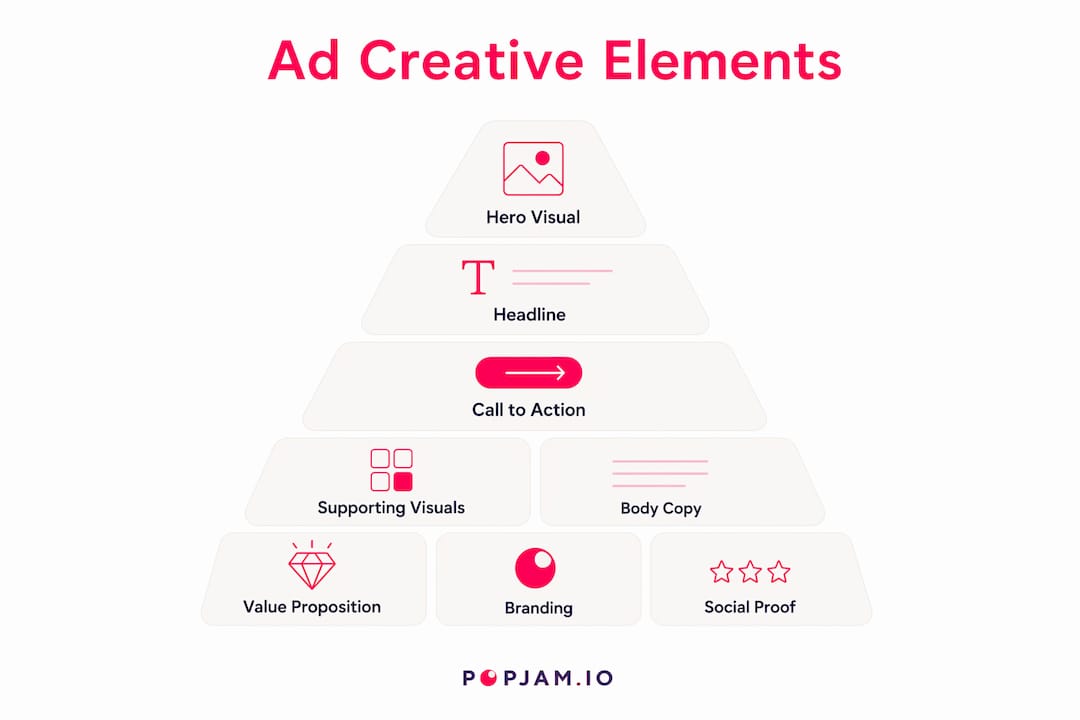
Hero visual. This is the first thing the eye lands on. It should be high-resolution, directly relevant to the product or message, and visually distinct enough to stop a scroll. Avoid stock photo clichés. Real product shots and authentic lifestyle imagery consistently outperform generic imagery.

Supporting visuals. Secondary images, icons, or motion elements that reinforce the hero. Keep them subordinate. If a supporting visual competes with the hero for attention, cut it.
Headline. The headline carries the value proposition. Effective ad design places the headline where the eye naturally travels after the hero visual. Keep it under 10 words when possible. Lead with the benefit, not the feature.
Body copy. Expands on the headline with one or two supporting points. On most digital formats, body copy gets a fraction of a second. Write it to be scannable. Short sentences. Active verbs. No jargon.
Call to action. The CTA should be visually distinct and use action-oriented language: “Get started,” “See pricing,” “Try it free.” Vague CTAs like “Learn more” work better at the awareness stage; conversion-stage ads need specificity.
Logo and branding. Brand cues should appear early, especially in video. Consistent color, typography, and logo placement build recall across impressions. Match the ad’s visual language to the landing page so there’s no jarring disconnect.
Value proposition. The clearest statement of what the audience gets and why it matters to them. This is not a feature list. It’s a promise.
Social proof. Star ratings, customer counts, press mentions, or short testimonial snippets. Most effective at the consideration and conversion stages.
Audio (for video and CTV). Voiceover, music bed, and sound effects. Design for both sound-on and sound-off. Captions are non-negotiable for social video.
Quick spec reference for common formats:
- Display: 300x250, 728x90, 160x600 px; max 150 KB; HTML5 or static
- Social feed (Meta): 1080x1080 (square), 1080x1350 (portrait); video up to 60 seconds
- Stories/Reels: 1080x1920 (9:16); video 15–30 seconds
- Google Responsive Display: multiple images and headlines; Google assembles combinations
- CTV/streaming: 1920x1080 (16:9); 15 or 30-second spots; no skip option on many placements
Mobile-first sizing is the default, not an afterthought. Over half of ad impressions are served on mobile, so design at 9:16 or 1:1 first, then adapt for desktop.
Which creative formats work best by channel?
Different channels reward different creative decisions. A format that crushes it on Meta Stories will flop as a display banner. Here’s how to think about each channel group.

| Channel | Typical Formats | Primary Creative Constraint |
|---|---|---|
| Meta (feed) | Static image, carousel, video | Visual stops scroll in 1–2 seconds |
| Meta (Stories/Reels) | Vertical video, animated static | Full-screen 9:16; text-safe zones |
| Google Display | Responsive display, static banners | File size under 150 KB; no clutter |
| Google Search | Responsive search ads (text only) | 15 headlines, 4 descriptions; no visuals |
| TikTok | Native vertical video | Authentic feel; hook in first 3 seconds |
| Single image, video, carousel, document | Professional tone; longer copy tolerated | |
| YouTube (in-stream) | 15–30 second video; skippable after 5s | Brand visible in first 5 seconds |
| Connected TV (CTV) | 15 or 30-second non-skippable video | No click; audio-on assumed |
| Native | Image + headline + description | Blends with editorial content; no hard sell |
| App install | Playable, video, static | Store compliance; clear install CTA |
A few channel-specific notes worth calling out:
- Search ads have no visual component. Creative lives entirely in headline and description combinations. Google recommends creating 3 to 4 responsive search ad variations per ad group so the algorithm can test combinations.
- TikTok rewards content that looks native, not polished. Overly produced ads get scrolled past. User-generated style, direct-to-camera, and trending audio formats tend to outperform.
- CTV is audio-on by default. Voiceover and sound design carry the message in ways that social video cannot assume.
- LinkedIn tolerates longer copy than most channels, especially for B2B offers. A 150-character headline and a substantive description can work well for consideration-stage campaigns.
Pro Tip: For video ads, don’t let the platform pick your thumbnail. Choose a frame that shows a human face, a clear product, or a moment of tension. Thumbnails with faces consistently outperform abstract or text-heavy frames on YouTube and Meta.
Why does creative drive ad performance more than you think?
Here’s the part most media buyers underestimate. Targeting and bidding matter, but creative is the variable that moves the needle most.
Nielsen attribution studies show that creative is the largest single contributor to sales lift, accounting for a significant portion in industry summaries. Audience targeting, reach, and recency account for the rest.
That number reframes how you should allocate creative production time and budget. If creative drives nearly half of sales impact, spending 80% of your campaign energy on bid strategy and 20% on creative is backwards.
Here’s how creative maps to the metrics that matter:
- Attention and scroll-stop rate: driven by the hero visual and first-frame video hook
- CTR: driven by headline clarity, CTA specificity, and visual contrast
- View-through rate: driven by pacing, audio quality, and narrative arc in video
- Conversion rate: driven by message-to-landing-page alignment and CTA friction
- ROAS: the downstream result of all of the above working together
The implication is direct. When a campaign underperforms, the first variable to test is creative, not audience or budget. Pre-launch simulation and AI-driven persona testing can identify weak creative variants before they consume live spend, which is a fundamentally more efficient way to run campaigns.
How do you design ad creative that actually converts?
Good creative doesn’t happen by feel. It follows a repeatable set of principles that you can apply to any format, channel, or budget.
- Lead with the benefit, not the feature. “Save 3 hours a week” beats “Automated scheduling.” The audience doesn’t care what your product does; they care what it does for them.
- Apply visual hierarchy deliberately. The eye should travel: hero visual → headline → body copy → CTA. If anything disrupts that path, remove it or reposition it.
- Design mobile-first. Build at 9:16 or 1:1. Text should be legible at arm’s length on a 6-inch screen. Minimum 16pt font for body copy; 24pt or larger for headlines.
- Keep the CTA consistent and visible. Place it in the same position across a creative set. Use a contrasting color so it stands out from the background.
- Reinforce brand cues early. Logo or brand color should appear within the first 2 seconds of video and in the upper-left or upper-right corner of static ads.
- Use one message per creative. Every additional claim you add reduces the impact of the primary one. Pick the single most persuasive point and commit to it.
Optimization playbook. Run A/B tests with one variable changed at a time: headline vs. headline, image vs. image, CTA vs. CTA. Rotate creatives on a schedule. Most social platforms show creative fatigue after 7–14 days of heavy impression volume, so plan refresh cycles before performance drops, not after.
Before and after example. A SaaS ad running “Advanced project management software with AI-powered features” as the headline switches to “Ship projects on time, every time.” CTR improves because the second version answers “what’s in it for me” in under six words.
Pro Tip: Emotional appeals outperform purely informational ones at the awareness stage. Fear of missing out, aspiration, and humor all drive higher engagement than feature lists. Save the informational approach for retargeting and conversion-stage ads where the audience already knows what you do.
What does a realistic ad creative production workflow look like?
Production is where good creative strategy either gets executed or falls apart. A clear workflow prevents missed specs, approval bottlenecks, and last-minute resizes.
Step-by-step workflow:
- Brief: Define objective, audience, single message, CTA, KPIs, deliverables, platform specs, and launch date
- Concept: Develop 2–3 creative directions; select one per audience or campaign goal
- Design: Produce assets at final specs; build mobile-first, then adapt
- Review: Internal stakeholder review; legal or compliance check if required
- QA: Verify file sizes, aspect ratios, text limits, and animation loops
- Export: Deliver in platform-required formats (JPG, PNG, MP4, HTML5)
- Handoff: Upload to ad platform; confirm tracking pixels and UTM parameters
Timeline and cost reference:
| Scenario | Timeline | Ballpark Cost |
|---|---|---|
| In-house single static asset | 1–2 days | $0 (internal labor) |
| Freelancer, small campaign (5–10 assets) | 3–5 business days | $300 |
| Agency, standard campaign | 2–4 weeks | $3,000 |
| Basic video (lo-fi, UGC style) | 3–7 days | $500 |
| High-production video (scripted, crew) | 4–8 weeks | $10,000 |
These ranges vary significantly by market, complexity, and revision cycles. For effective ad campaign planning, build in at least one full revision round and a 48-hour QA buffer before the launch date.
Pre-upload checklist:
- File size within platform limits (150 KB for display; varies for video)
- Correct aspect ratios for each placement
- Text overlay within platform limits (Meta recommends minimal text on images)
- Legal disclaimers included where required
- UTM parameters and tracking pixels verified
- Landing page URL live and matching ad messaging
How should you test ad creative and measure results?
Testing without a plan produces noise, not insight. Here’s a framework that actually works.
Experiment checklist:
- Write a hypothesis: “Changing the headline from X to Y will increase CTR by Z% because the benefit is clearer.”
- Set a minimum sample size before you start. Running a test to 200 impressions and calling a winner is a false positive waiting to happen. Most platforms need at least 1,000 impressions per variation, and conversion tests need 50–100 conversions per variation for statistical reliability.
- Change one variable at a time. Swapping both the image and the headline simultaneously tells you nothing about which change drove the result.
- Set a fixed test duration. Don’t stop early because one variation looks like it’s winning. Early data is noisy.
Metric mapping by campaign goal:
- Awareness: view rate, video completion rate, CPM, reach
- Consideration: CTR, engagement rate, time on landing page
- Conversion: conversion rate (CVR), cost per acquisition (CPA), ROAS
Pre-launch testing vs. live A/B testing. Live A/B testing is the gold standard for statistical validity, but it costs real money to run weak variants. Pre-launch synthetic testing, where AI simulates how different audience personas respond to creative before spend, lets you eliminate obvious losers before they go live. POPJAM’s pre-launch testing tools use Synthetic Personas to simulate audience reactions across psychographic profiles, so you can refine creative composition based on qualitative and quantitative feedback before a dollar is spent.
Pro Tip: Guard against false positives by segmenting your test results. A creative that wins overall may lose badly among your highest-value segment. Always cut results by audience segment and device type before declaring a winner.
What tools do you need to create and test ad creative?
The tool stack for creative production falls into five categories. You don’t need all of them, but knowing what each does helps you identify gaps.
- Creative editors and design suites: tools for building static and animated assets (Adobe Creative Cloud, Figma, Canva). These are the production layer where designers work.
- Creative automation and AI generators: platforms that produce multiple creative variations at scale from a brief or existing assets. Useful for e-commerce brands, agencies, and PPC teams that need dozens of variations quickly.
- Asset management: digital asset management (DAM) systems that store, organize, and version creative files so teams aren’t hunting through Slack threads for the final logo.
- Ad builders: platform-native tools (Meta Ads Manager, Google Ads) that assemble responsive ads from uploaded assets and test combinations automatically.
- Creative testing and analytics platforms: tools that measure creative performance at the asset level, not just the campaign level, so you know which image or headline is driving results.
Selection criteria checklist:
- Speed: how fast can you go from brief to exported asset?
- Scale: can it produce 50 variations as easily as 5?
- Platform integrations: does it connect to Meta, Google, TikTok, LinkedIn, and Reddit natively?
- Analytics: does it report at the creative-element level, not just the campaign level?
- Privacy and compliance: is it GDPR-compliant? Does it handle audience data responsibly?
POPJAM sits at the intersection of AI generation and pre-launch testing. It generates on-brand creatives across images, video, animation, social posts, email, and presentations, then runs those assets against Synthetic Personas before they go live. For teams that want to know what will work before they spend, rather than learning from expensive live failures, that’s where POPJAM fits in the workflow. You can explore AI creative tools compared to see how different categories stack up.
When to invest in automation vs. manual production: if you’re producing fewer than 10 creative variations per month, manual production with a freelancer or in-house designer is usually more cost-effective. Once you’re running multi-channel campaigns with 20+ variations, or refreshing creatives weekly to fight fatigue, automation pays for itself quickly.
Short annotated creative examples you can copy right now
Real examples are worth more than abstract principles. Here are six annotated formats with mini test ideas attached.
-
Awareness (social feed, static image): Bold lifestyle photo, brand color overlay, 6-word headline: “The only tool your team needs.” No product features. Test: swap the lifestyle photo for a product-only shot and measure scroll-stop rate. Expect the lifestyle version to win at awareness; the product shot may win at retargeting.
-
Consideration (carousel, Meta): Slide 1 is the problem statement. Slides 2–4 each address one objection. Slide 5 is the CTA with a free trial offer. Test: reorder slides so the CTA appears on slide 3. Some audiences convert faster with an earlier offer.
-
Conversion (retargeting, display): Product image, “You left something behind” headline, dynamic price or discount, “Complete your order” CTA. Test: replace the discount with a scarcity message (“Only 3 left”) and compare CVR. Converting ad creatives consistently show that specificity in the CTA outperforms generic button text.
-
App install (TikTok, vertical video): 15-second native-feel video. First 3 seconds: show the problem. Seconds 4–12: show the app solving it in real time. Last 3 seconds: “Download free” with the app icon. Test: swap the problem-first hook for a results-first hook (“I saved $400 this month using this app”) and measure install rate.
-
Video thumbnail (YouTube): Human face showing a clear emotion (surprise, excitement), product visible in the background, 4-word text overlay in high-contrast color. Test: A/B the text overlay vs. no text. Text overlays tend to win on mobile where thumbnails are small.
-
Template snippet (headline + body + CTA):
- Headline: “[Specific benefit] in [timeframe]”
- Body: “Join [social proof number] [audience type] who [achieved outcome]. No [common objection].”
- CTA: “[Action verb] [specific next step]”
Simple video shot list for low-budget testing:
- Shot 1 (0–3s): Problem moment or hook statement, direct to camera
- Shot 2 (3–10s): Product in use, screen recording, or before/after
- Shot 3 (10–13s): Result or benefit stated clearly
- Shot 4 (13–15s): CTA with logo and offer
Common ad creative mistakes and how to fix them fast
Most creative failures come from the same handful of errors. Here’s what to look for and how to fix each one without a full redesign.
-
Information overload. The ad tries to communicate five things. Fix: identify the single most important message and remove everything else. If it doesn’t support the primary claim, it goes.
-
Feature-focused messaging. “AI-powered with 47 integrations” tells the audience what the product is, not why they should care. Fix: rewrite every feature as a benefit. “Connect your entire stack in one click” is the same claim, written for the reader.
-
Poor visual hierarchy. The CTA is the same size as the body copy, and the logo is larger than the headline. Fix: apply a strict size hierarchy. Headline largest, CTA visually distinct, logo present but not dominant.
-
Tiny or buried CTAs. A CTA that blends into the background gets ignored. Fix: use a contrasting button color and place the CTA in the lower third of static ads or the final frame of video.
-
Wrong aspect ratios. A 16:9 image uploaded to a 9:16 story placement gets cropped in ways that cut off the headline or logo. Fix: build a spec sheet for every placement before production starts and export each asset at the correct ratio.
-
Ignoring mobile legibility. Body copy at 10pt looks fine on a desktop preview and is completely unreadable on a phone. Fix: preview every creative on a mobile screen before approving. If you can’t read it at arm’s length, the font is too small.
How to write a creative brief that gets better ads faster
A weak brief is the single biggest source of wasted production cycles. A strong brief takes 30 minutes to write and saves days of revision.
Required fields in every brief:
- Objective: What should this creative achieve? (awareness, consideration, conversion, app install)
- Audience: Who are we talking to? Include psychographic detail, not just demographics.
- Single message: The one thing the audience should remember after seeing this ad.
- Primary CTA: Exact button or link text.
- KPI: The metric that defines success for this creative.
- Deliverables: List every asset, format, and size required.
- Platform specs: Aspect ratios, file size limits, text limits, duration limits.
- Mandatory assets: Logo file, brand colors, required legal copy, product images.
- Launch timeline: Final file delivery date and go-live date.
Reviewer checklist:
- Does the creative communicate the single message clearly?
- Is the CTA visible and specific?
- Are all mandatory assets present?
- Does the creative match the landing page visually and in message?
- Have legal and compliance requirements been met?
- Are all files exported at the correct specs?
Sample brief paragraph you can copy and modify:
“This campaign targets mid-market SaaS marketing managers who are running paid social for the first time. The single message is: ‘Launch your first campaign in under an hour.’ The primary CTA is ‘Start free trial.’ Success is measured by free trial sign-ups at a CPA under $45. Deliverables include one 1080x1080 static image, one 1080x1920 story video (15 seconds), and one 1200x628 display banner. All assets must include the logo in the top-right corner and the tagline ‘No agency required.’ Final files due 5 business days before launch.”
Key Takeaways
Ad creative, the combination of visuals, copy, and interactive elements, drives a substantial part of sales lift according to Nielsen attribution summaries, making it one of the highest-leverage variables in any paid campaign.
| Point | Details |
|---|---|
| Creative drives performance | Industry attribution data shows creative accounts for a significant portion of sales lift, more than targeting or bidding. |
| One message per creative | Cognitive overload kills conversion; pick the single most compelling benefit and build the entire ad around it. |
| Test before you spend | Pre-launch synthetic testing with Synthetic Personas eliminates weak variants before live spend, reducing wasted budget. |
| Match format to channel | Each channel has a primary creative constraint; design mobile-first at 9:16 or 1:1 and adapt from there. |
| POPJAM for pre-launch testing | POPJAM generates on-brand creatives and tests them against Synthetic Personas across Meta, Google, TikTok, LinkedIn, and Reddit before launch. |
The part most marketers skip
Most creative advice focuses on what to make. Very little of it focuses on what to kill before it goes live. That’s the gap that costs campaigns the most.
The conventional wisdom is to launch, measure, and iterate. That’s a reasonable approach when your budget is large enough to absorb the cost of weak variants. But for most teams, the first two weeks of a campaign are the most expensive and the most wasteful. You’re paying full CPMs to learn what you could have known before you spent anything.
What I’ve seen consistently is that the teams who invest in pre-launch validation, whether through structured internal review, synthetic persona testing, or small-scale pre-tests, end up with tighter creative and faster optimization cycles. They’re not smarter about creative instinctively. They’ve just built a process that forces the weak ideas to fail cheaply, before they fail expensively.
The other thing worth saying: creative fatigue is real, and most teams address it too late. By the time frequency metrics are screaming and CTR has cratered, you’ve already burned through your best-performing audience segments. Plan your refresh schedule at the start of the campaign, not when performance drops. Build the next creative set while the current one is still working.
POPJAM turns creative ideas into pre-validated ads
Producing great ad creative is one challenge. Knowing which version will actually perform before you spend is another. POPJAM solves both.
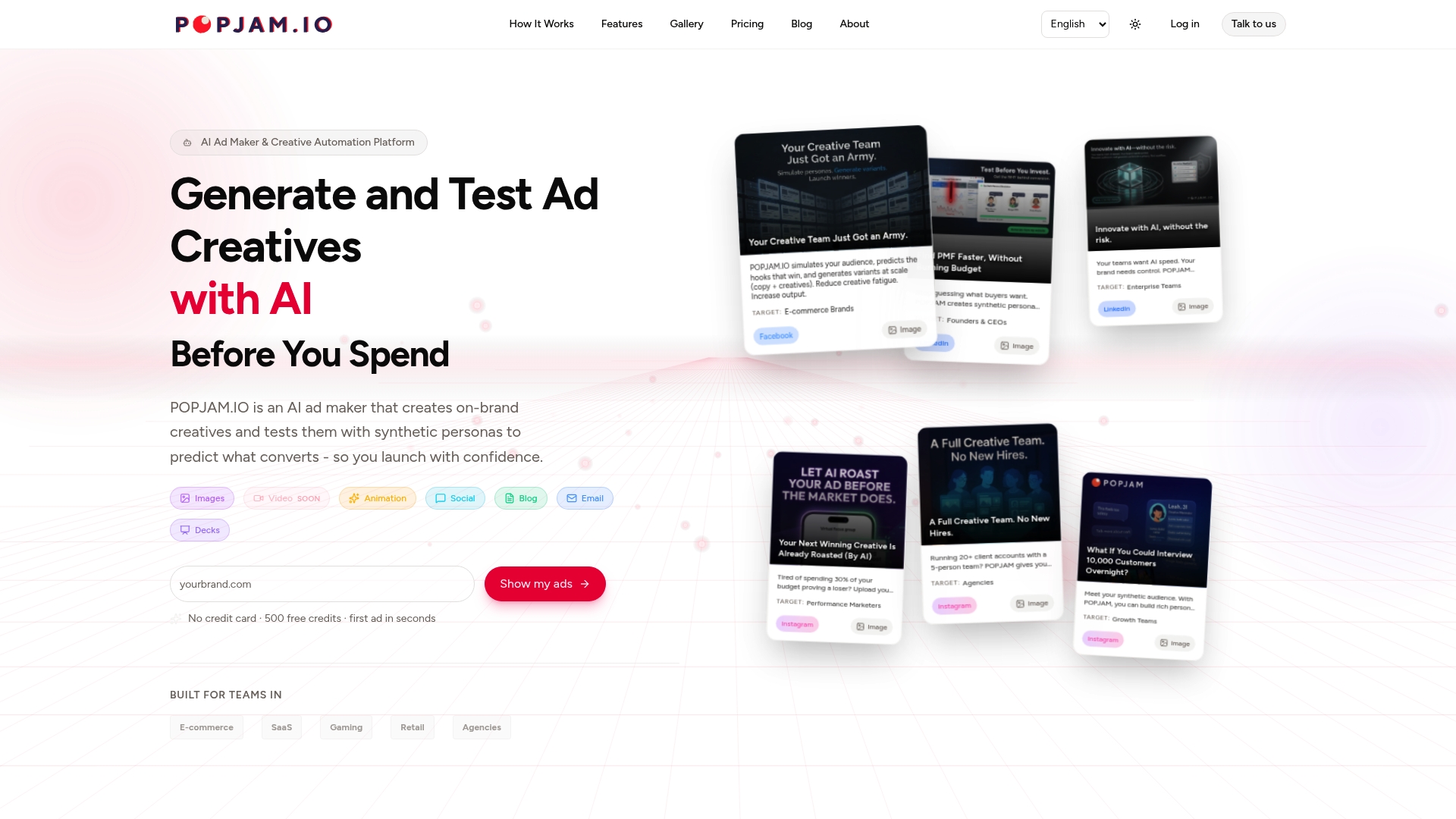
POPJAM’s AI ad generator produces on-brand creatives across images, video, animation, social posts, and more, then tests them against Synthetic Personas that simulate real buyer psychographics. Instead of launching blind and hoping the data comes in fast enough, you get qualitative and quantitative feedback on each creative variant before a single dollar goes to the platform. The result is less creative fatigue, fewer wasted impressions, and campaigns that start stronger.
It integrates with Meta, Google, TikTok, LinkedIn, and Reddit, and the audience simulation is GDPR-compliant. Whether you’re an e-commerce brand, a SaaS team, or an agency managing multiple clients, POPJAM fits into the production workflow right before launch, where the cost of a bad decision is highest.
Start testing your creatives before you spend and see which variants your audience actually responds to.
Useful sources
External references:
- What is an Ad Creative? | Singular — Definition, asset types, creative analytics, and the creative contribution to sales lift.
- Ad Design Tips for Better Campaigns | Mailchimp — Headline, CTA, and visual guidance for multi-platform campaigns.
- 11 Ad Design Tips | HubSpot — Visual hierarchy, benefit-focused copy, and common design mistakes.
- Tips for creating effective display ads | Google Ads Help — Platform rules, responsive display ad specs, and testing recommendations.
- What is Creative Advertising? | Amazon Ads — Format variety, storytelling, and multi-stage campaign creative.
- Examples of Digital Ad Creatives That Actually Convert — Curated examples with layout and copy analysis.
- How to create effective ad campaigns in 2026 — Campaign planning checklists and production workflow guidance.
- A/B Testing for Websites: A Step-by-Step Guide — Experiment design, sample size guidance, and statistical pitfalls.
POPJAM resources to act on next:
- How to test ad creatives before launch — Pre-launch testing workflow and Synthetic Persona methodology.
- Creative automation platform — Platform capabilities, integrations, and analytics overview.
- Ad creative bank: the 2026 guide — Deep-dive resource for building and managing a creative library.
FAQ
What is ad creative?
Ad creative is the combination of visual, copy, and interactive elements that delivers a marketing message and prompts audience action. It includes images, video, headlines, body copy, calls to action, audio, and branding across paid and organic placements.
Is investing in ad creative worth it?
Yes. Nielsen attribution research shows creative accounts for a significant portion of sales lift, making it the highest-leverage variable in most campaigns. Weak creative wastes targeting and budget; strong creative multiplies both.
What is the difference between ad copy and ad creative?
Ad copy refers specifically to the written text in an ad: headlines, body copy, and CTA language. Ad creative is the broader package that includes copy plus visuals, format, audio, and interactive elements working together.
How does POPJAM help with ad creative?
POPJAM generates on-brand ad creatives using AI and tests them against Synthetic Personas before launch, giving teams qualitative and quantitative feedback on which variants will resonate with specific audience psychographics before any live spend.
How often should you refresh ad creative?
On high-volume social campaigns, creative fatigue typically sets in after 7–14 days of heavy impression volume. Plan your next creative set before performance drops, not after, and use frequency and CTR trend data as early warning signals.
Recommended
- Creative Automation: The Complete Guide for Performance Marketers (2026) | POPJAM.IO Blog
- Ad Creative Bank: The 2026 Guide for Marketing Teams | POPJAM.IO Blog
- How to create high-impact ad creatives: steps & testing | POPJAM.IO Blog
- AI Creative Suite: The 2026 Guide for Marketing Teams | POPJAM.IO Blog