

The Best Creative Ops Tools to Cut Creative Waste in 2026
The fastest path to scaling creative output without losing brand control is a purpose-built creative ops stack. Start by mapping your intake-to-publish workflow, then pilot one tool that handles request intake and review simultaneously. Teams that do this first typically see fewer revision loops, faster time-to-publish, and clearer ownership within the first 30 days.
- Fewer review loops: Structured intake forms eliminate the “what do you actually need?” back-and-forth before a single asset is touched.
- Faster time-to-publish: Automated routing moves assets from creation to approval without manual nudges.
- Clearer ownership: Named approvers and SLAs replace the ambiguous “can someone review this?” message in Slack.
Pro Tip: Before evaluating any software, spend 30 minutes drawing your current intake-to-publish flow on a whiteboard. Every handoff where information gets lost or re-entered is a tool insertion point.
Key Takeaways
The most effective creative ops stack starts with intake and proofing, measures cycle time from day one, and adds an AI creative validation layer to eliminate ad spend waste before launch.
| Point | Details |
|---|---|
| Start with intake and proofing | These two categories remove the most friction fastest and cut cycle time before anything else changes. |
| Measure before you pilot | Baseline your cycle time and review loop count manually before the pilot starts so you can prove the improvement. |
| Named approvers beat team approvers | Every brief needs one named approver, not a team, to prevent approval delays and SLA breaches. |
| Review KPIs every quarter | Brief templates and SLAs need tuning as your team grows; set a quarterly review cadence from day one. |
| POPJAM for pre-launch validation | POPJAM tests ad creative variants against Synthetic Personas before media spend is committed, reducing wasted ad spend. |
Table of Contents
- What creative operations actually means (and how it differs from project management)
- The creative ops supply chain: from intake to publish
- Which tool categories belong in a creative ops tech stack?
- How creative ops tools handle real workflows and handoffs
- How to choose, pilot, and roll out creative ops tools at scale
- What to measure and how to build a creative ops dashboard
- Who does what: roles and use cases across the team
- Practical example stacks and what to buy first
- Case study: how POPJAM.IO reduces wasted ad spend before launch
- Your day-one implementation checklist and intake template
- What practitioners actually get wrong about creative ops tool adoption
- POPJAM.IO fits where most creative ops stacks have a gap
- Sources
- FAQ
What creative operations actually means (and how it differs from project management)
Creative operations is the discipline of designing, running, and improving the systems that move creative work from idea to published asset at scale. The people who own it, creative ops managers, producers, and brand leads, are responsible for the infrastructure of creativity: the briefs, the workflows, the governance, and the feedback loops. They are not the designers. They make it possible for designers to do their best work without drowning in logistics.
Generic project management tools like Asana or Jira handle tasks, deadlines, and dependencies well. What they do not handle natively is asset versioning, brand compliance checks, structured review and approval chains, or the metadata that travels with a creative file from brief to archive. That gap is where creative management tools earn their place.
Three places where a PM tool falls short and a creative ops tool adds specific value:
- Asset versioning: A task manager tracks “design v3 uploaded.” A creative ops tool links v3 to the brief, the feedback thread, the approved version, and the rights metadata, all in one record.
- Approval routing: PM tools let you assign a task to a reviewer. Creative ops tools route to the right approver based on asset type, market, or channel, and escalate automatically when SLAs are missed.
- Brand governance: A PM tool cannot tell you whether the logo is the right size or the copy is off-brand. A creative ops platform with a brand hub or DAM integration can flag it before the asset ships.
Creative operations is not a faster version of project management. It is a different discipline entirely, one that treats the creative asset as the unit of work and the brand as the system of record.
The creative ops supply chain: from intake to publish
Every creative workflow, regardless of team size or industry, runs through the same core stages. The difference between a chaotic creative team and a high-output one is usually how well each stage is defined and connected to the next.
The seven stages:
- Request intake: A structured form or portal captures campaign name, objective, audience, channel, asset format, deadline, and approver list. Unstructured requests (Slack messages, email threads) are the single biggest source of rework.
- Brief and requirements: The intake data populates a standardized brief template. This is where KPIs, usage rights, and audience segments get locked in before a pixel is moved.
- Asset creation: Designers, copywriters, and motion teams work from the brief. The brief should be accessible inside the creation tool, not in a separate doc that gets ignored.
- Review and proofing: Stakeholders annotate directly on the asset. Version numbers increment automatically. No more “final_v7_REALLYFINAL.psd.”
- Approvals and version control: Named approvers sign off in sequence or in parallel, depending on the governance model. Every approval is timestamped and logged.
- Delivery and publishing: The approved asset is exported in the right specs for each channel and handed off to the media or content team with its metadata intact.
- Governance and rights management: Usage rights, expiration dates, and territorial restrictions are stored with the asset in the DAM, not in someone’s inbox.
The data that should travel with every asset: brief fields, audience segment, KPIs, channel specs, usage rights, and approval history. When that data breaks down at a handoff, the next stage has to reconstruct it, which is where delays and errors compound.
Pro Tip: Adding three mandatory fields to your intake form, audience segment, primary KPI, and named approver, typically cuts a significant portion of review back-and-forth because the most common revision requests (“who is this for?” and “who needs to sign off?”) are answered before work begins.

Which tool categories belong in a creative ops tech stack?
You do not need every category on day one. But knowing what each category does and who on your team owns it helps you sequence purchases intelligently.
The seven categories:
- Digital Asset Management (DAM): Stores, organizes, and governs approved assets. Core job: single source of truth for brand files. Buyers: brand managers, creative ops leads. Look for: metadata schema flexibility, rights management, and CDN delivery speed. Bynder and Frontify are frequently cited on G2 for brand governance and design system capabilities.
- Creative project and work management: Tracks briefs, tasks, and timelines. Core job: orchestrate who does what and when. Buyers: producers, project managers. monday.com is widely adopted by creative and marketing teams for this layer, and ClickUp is a strong option for teams that need highly customizable workflows.
- Proofing and review tools: Annotation and approval directly on assets. Core job: replace email-based feedback with structured, version-linked comments. Buyers: designers, producers, legal reviewers.
- Automation and workflow engines: Route tasks, trigger notifications, and connect tools via API or webhook. Core job: eliminate manual handoffs. Buyers: creative ops managers, marketing ops.
- Creative analytics and testing: Measure asset performance and connect creative decisions to business outcomes. Core job: answer “which creative works and why?” Buyers: performance marketers, growth teams.
- Creative generation and AI tools: Generate ad creatives, copy variants, and visual concepts at scale. Core job: increase creative volume without proportional headcount growth. Buyers: performance marketers, agencies.
- Brand hubs and design systems: Centralize brand guidelines, component libraries, and approved templates. Core job: make on-brand creation the path of least resistance. Frontify’s G2 reviews highlight its brand repository and design system capabilities specifically.
Security and governance checklist before signing any contract:
- Single sign-on (SSO) and role-based permissions
- Audit trails for every approval and asset change
- Data residency options (especially for enterprise and regulated industries)
- Rights management with expiration date enforcement
- GDPR compliance documentation for any AI features that process audience data
Pro Tip: Ask every vendor for their API documentation before the demo. If they cannot share it, or if it is sparse, the integration you are counting on will cost you three times the estimate in engineering hours.
How creative ops tools handle real workflows and handoffs
The theory is clean. The reality is messier. Here is how a well-tooled creative ops workflow actually runs, and where it breaks down.
A campaign brief to publish workflow, step by step:
- A marketer submits a request through the intake portal with all required fields completed.
- The system auto-routes the request to the assigned producer, who reviews the brief for completeness and creates the project in the work management tool.
- The brief is linked to the project record. Designers access it directly inside their workflow without switching tabs.
- The first asset draft is uploaded to the proofing tool. Reviewers are notified automatically and annotate on the asset itself.
- Revisions are made and a new version is uploaded. The system links v2 to the original feedback thread so reviewers can see what changed.
- The named approver receives a sign-off request. Approval is logged with a timestamp.
- The approved asset is pushed to the DAM with its metadata and then delivered to the channel team in the correct format.
Where automation genuinely helps:
- Auto-tagging assets with campaign, channel, and audience metadata on upload
- Routing approval requests to the right person based on asset type or market
- Linking new versions to the original brief and feedback thread automatically
- Sending SLA breach alerts before a deadline is missed, not after
Where human review is non-negotiable:
- Legal and compliance sign-off on regulated claims
- Brand judgment calls that require context a system cannot encode
- Final creative direction decisions on hero assets
The most common friction points are missing brief data (the intake form was skipped or incomplete), unlinked asset versions (someone uploaded a revision to a new folder instead of the existing project), and unclear approvers (the brief named a team instead of a person). Each of these has a simple fix: mandatory intake fields, version upload rules, and a named-approver policy enforced at the brief stage.
How to choose, pilot, and roll out creative ops tools at scale
Buying the wrong tool is expensive. Buying the right tool and rolling it out badly is almost as bad. Here is a decision and rollout framework that avoids both mistakes.
Decision framework:
- Map your current workflow and identify the three biggest friction points by time lost or rework volume.
- List your must-have integrations: which tools does the new platform need to connect to on day one?
- Define your team size and governance model: who approves what, and how many approval tiers exist?
- Set your KPI goals before the pilot: what does success look like in 60 days?
- Score vendors against friction points, integrations, and KPIs, not against feature lists.
Pilot plan template:
- Scope: One campaign type or one team (not the whole organization)
- Duration: 30–60 days
- Sample projects: Three to five real campaigns, not test projects
- Success metrics: Cycle time reduction, review loop count, and approver response time
- Go/no-go criteria: Defined before the pilot starts, not after
Vendor questions checklist:
- What integration endpoints and webhooks are available out of the box?
- How does the AI feature use our data, and is it used to train shared models?
- What is the onboarding timeline and who owns it on your side?
- What does the contract say about data portability if we leave?
Red flags in demos and contracts:
- A demo that uses only the vendor’s sample data, not yours
- Vague answers about AI data usage and model training
- An onboarding timeline measured in months, not weeks
- Auto-renewal clauses with short cancellation windows
Pro Tip: Run your pilot on a project that is already in flight, not a greenfield one. Real pressure reveals real gaps in the tool faster than any staged test.
What to measure and how to build a creative ops dashboard
If you cannot measure it, you cannot improve it. These are the KPIs that actually tell you whether your creative ops tools are working.
Core KPIs:
- Cycle time (brief to publish): The end-to-end clock from intake submission to live asset. This is your headline metric.
- Review loop count: How many rounds of revision does a typical asset go through? More than two is a signal of upstream brief quality problems.
- Approval time by approver: Who is the bottleneck? This data is uncomfortable but necessary.
- Asset reuse rate: What percentage of published assets are repurposed from existing approved files? Higher reuse means lower production cost per asset.
- On-brand compliance rate: What percentage of assets pass brand review on the first submission?
- Ad creative waste reduction: For paid media teams, how much spend is going to creatives that underperform before they are pulled? This is where POPJAM’s creative automation platform adds a measurable layer by testing creatives against synthetic personas before any spend is committed.
Smartsheet’s G2 reviews consistently highlight its structured reporting and control capabilities, making it a practical choice for the operational reporting layer where these KPIs get tracked and shared with leadership.
Who owns each metric:
- Cycle time and review loop count: creative ops manager
- Approval time by approver: producer or project manager
- Asset reuse rate and compliance rate: brand manager or DAM owner
- Ad creative waste: performance marketer or growth lead
Example dashboard layout:
- Intake funnel view: Requests submitted vs. briefs approved vs. assets in production vs. assets published, by week
- Bottleneck heatmap: Average time spent at each stage, color-coded by SLA status
- Creative performance link: Asset ID connected to channel performance data so you can trace which creative drove which result
The teams that improve fastest are the ones that review their cycle time and review loop count every two weeks, not every quarter. The data is only useful if you act on it before the next campaign launches.
Who does what: roles and use cases across the team
Creative ops tools only work when everyone knows their role in the system. Here is the role matrix and the most common use cases by team.
Role matrix:
- Creative ops manager: Owns the workflow design, tool configuration, SLAs, and KPI reporting. Primary tool touchpoints: work management, intake portal, and dashboard.
- Producers: Manage day-to-day project execution, brief quality, and timeline adherence. Primary touchpoints: work management and proofing tools.
- Designers and motion teams: Create assets from briefs and upload to proofing tools. Primary touchpoints: creation tools, proofing, and DAM.
- Marketers and channel owners: Submit requests, review assets, and approve for their channel. Primary touchpoints: intake portal and proofing tool.
- Legal and compliance: Review regulated claims and usage rights. Primary touchpoints: proofing tool and DAM rights management.
- External agencies: Receive briefs, upload deliverables, and participate in review cycles. Primary touchpoints: proofing tool and DAM (with restricted permissions).
Common use cases:
- Campaign creative production: Brief to multi-format asset delivery for a paid media campaign across Meta, Google, and TikTok.
- Hero asset repurposing: One approved hero image or video adapted into 12 channel-specific formats without a new brief.
- Local market adaptation: A global brand asset localized for language, imagery, and compliance requirements by a regional team.
- Influencer and UGC intake: External content submitted through a structured portal, reviewed for brand fit, and approved for paid amplification.
- Ad creative experimentation: Multiple creative variants tested against performance data or synthetic personas before full budget commitment.
Pro Tip: Build your SLA table before you configure any tool. List every asset type, the expected turnaround time, and the named approver for each. This single document eliminates more approval delays than any software feature.
Practical example stacks and what to buy first
You do not need a six-figure tech stack to run effective creative ops. Here is what a realistic stack looks like at three maturity levels, and the priority order for buying.
Three example stacks by maturity:
Lean in-house team (1–5 creatives):
- Intake: a structured form (Google Forms or a lightweight intake module)
- Work management: ClickUp or monday.com for task tracking
- Proofing: a dedicated review tool for annotation and approvals
- DAM: a shared cloud folder with a strict naming convention (not ideal, but functional at this scale)
Growth-stage marketing team (5–20 creatives):
- Intake: a purpose-built intake portal with required fields and auto-routing
- Work management: monday.com or a creative-specific PM tool
- Proofing: a dedicated proofing platform with version linking
- DAM: a proper DAM with metadata schema and rights management
- AI creative and testing: a platform like POPJAM for generating and pre-testing ad creative variants
Enterprise unified ops (20+ creatives, multiple markets):
- Intake: integrated with the work management system, with market-specific routing rules
- Work management: an enterprise-grade platform with API integrations to DAM and proofing
- Proofing: enterprise proofing with SSO, audit trails, and legal review workflows
- DAM: a full DAM with CDN delivery and rights expiration enforcement
- Brand hub: a design system platform for template governance
- Analytics: structured reporting via Smartsheet or a dedicated creative analytics layer
- AI creative and testing: POPJAM for pre-launch creative validation at scale
- Integrated creative-to-publish: for the largest organizations, Adobe Experience Cloud represents the enterprise-grade end of the spectrum
What to buy first and why:
- Intake plus proofing: These two categories remove the most friction fastest. Structured intake eliminates the “what do you need?” loop. Proofing eliminates the “which version is current?” loop. Together, they cut cycle time before you have touched anything else.
- Work management: Once intake and proofing are running, you need a system to track what is in flight and who owns it.
- DAM: Add this when asset reuse and brand governance become the bottleneck, typically when the team grows past 10 creatives or starts managing multiple markets.
Procurement checklist:
- Integration test plan: verify the connection between your new tool and your existing stack before signing
- Pilot projects: three to five real campaigns, not demos
- Training plan: who trains whom, and by when?
- Change management owner: one named person responsible for adoption, not a committee
Pro Tip: The biggest procurement mistake is buying a DAM before you have intake and proofing in place. Assets pile up in the DAM with no consistent metadata because the upstream workflow was never standardized. Fix the front of the pipeline first.
Case study: how POPJAM.IO reduces wasted ad spend before launch
Most creative ops stacks are good at moving assets through production. They are less good at answering the question that matters most to performance marketers: will this creative actually work?
That is the gap POPJAM fills. Here is how it fits into the supply chain and what a representative pilot looks like.
The baseline problem: A growth-stage e-commerce brand is running paid media across Meta and TikTok. The team produces many creative variants each month. A significant portion of ad spend goes to creatives that underperform in the first 48 hours before the team pulls them. The creative team has no way to predict which variants will resonate before they go live.
The pilot scope: The team runs a 30-day pilot using POPJAM’s AI ad generation and testing platform. They upload their brief, audience segment, and existing brand assets. POPJAM generates creative variants and runs them through Synthetic Personas built from psychographic profiles matching their target buyer segments.

How synthetic persona testing works: POPJAM simulates audience reactions to each creative variant before any media spend is committed. The platform collects qualitative and quantitative feedback from these synthetic personas, identifying which visual compositions, copy angles, and calls to action resonate with each segment. The team uses this feedback to prioritize the top-performing variants for launch and revise or discard the rest.
Where it fits in the supply chain: POPJAM sits between asset creation and delivery. After the proofing and approval stage, and before the asset goes to the media buyer, POPJAM validates creative performance against the target audience. It is the last quality gate before spend is committed.
Testing creative against synthetic personas before launch is the equivalent of a focus group that runs overnight and costs a fraction of the media budget you would otherwise waste on underperforming variants.
Pro Tip: Use POPJAM’s persona feedback to brief your next creative cycle, not just to filter the current one. The qualitative insights about why a variant underperformed are often more valuable than the performance score itself.
Niche, asset-first tools like Artwork Flow demonstrate that the market for specialized creative production platforms is real and growing, with users specifically citing workflow and approval features as the reason they chose a purpose-built tool over a general PM platform.
Your day-one implementation checklist and intake template
You can start improving your creative ops workflow today, before you buy a single tool. Here is the checklist and the intake template fields that matter most.
Implementation checklist (map, select, pilot, measure, scale):
- Map: Draw your current intake-to-publish workflow. Identify every handoff where information is lost or re-entered.
- Select: Score two to three tools against your top three friction points and your must-have integrations.
- Pilot: Run one real campaign through the new tool. Measure cycle time and review loop count before and after.
- Measure: At 30 days, compare your baseline KPIs to your pilot results. Make the go/no-go decision.
- Scale: Roll out to the full team with a training plan and a named change management owner.
Day-one intake template fields:
- Campaign name and campaign ID
- Campaign objective (awareness, consideration, conversion)
- Audience segment (primary and secondary)
- Assets needed (format, dimensions, quantity)
- Channel (Meta, Google, TikTok, LinkedIn, Reddit, email, other)
- Named approver (one person, not a team)
- Hard deadline and preferred delivery date
- Primary KPI (click-through rate, conversion rate, cost per acquisition, other)
- Usage rights and territorial restrictions
- Budget reference (for paid media teams)
Sample SLAs to include in your rollout:
- Brief review and approval by producer: within 1 business day of intake submission
- First asset draft delivered: within 3 business days of brief approval
- Stakeholder review and feedback: within 2 business days of draft delivery
- Final approval: within 1 business day of revised draft delivery
- Escalation path: if any SLA is missed, the creative ops manager is notified automatically and the approver’s manager is cc’d after 24 hours
Pro Tip: Publish your SLA table somewhere every team member can see it, not just in the tool. When people know the expected turnaround times before they submit a request, they plan better and escalate less.
What practitioners actually get wrong about creative ops tool adoption
The conventional wisdom says: buy the best tool, train the team, and watch productivity climb. In practice, the tool is rarely the problem. The adoption failure almost always comes from one of three places.
First, teams buy governance before they have workflow clarity. A DAM with a sophisticated metadata schema is useless if the team does not agree on what a “campaign” is or how to name an asset. Get the workflow defined on paper before you configure any system.
Second, leaders underestimate the change management cost. Creative teams are protective of their process. The best way to drive adoption is to involve the people who will use the tool in the selection process, not just the managers who will pay for it. When a designer helped choose the proofing tool, they will actually use it.
Third, measurement gets deferred. Teams say they will set up KPI tracking “after the rollout.” They never do. Baseline your cycle time and review loop count before the pilot starts, even if you are counting manually. Without a before number, you cannot prove the after number.
On the consolidation versus best-of-breed question: consolidation wins when your team is small and the switching cost between tools is high. Best-of-breed wins when you have a mature ops function with dedicated integrators and clear ownership of each tool category. Most teams in the middle should consolidate first and specialize later.
One more thing: review your KPIs and brief templates every quarter. The brief fields that worked for a three-person team will not work for a fifteen-person team. The SLAs that made sense for one campaign type will not hold for another. Creative ops is not a one-time setup. It is a system you tune continuously.
POPJAM.IO fits where most creative ops stacks have a gap
Most stacks handle production well. The gap is almost always at the creative validation layer, the moment between “approved asset” and “live ad” where performance marketers are still flying blind.
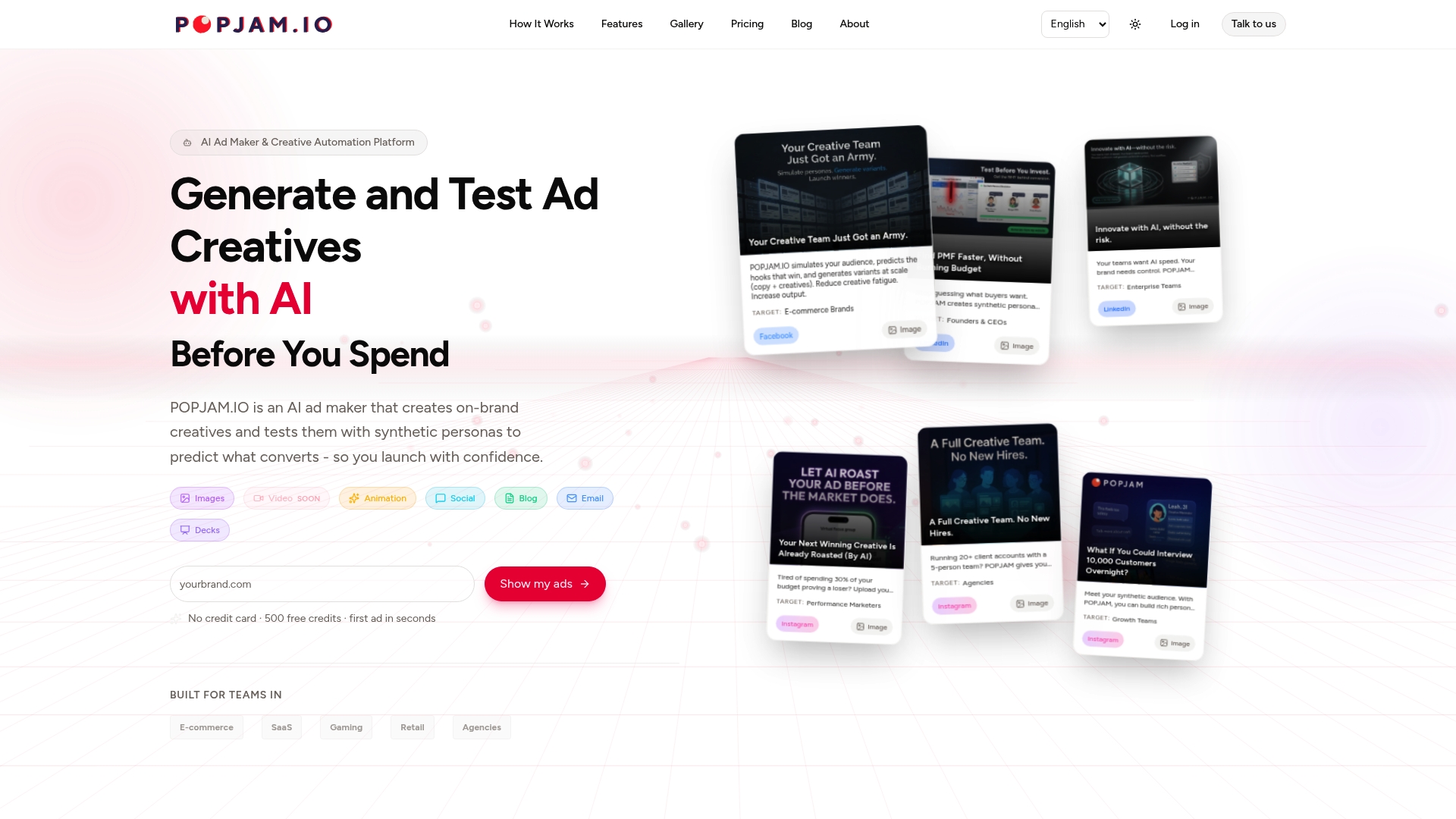
POPJAM plugs directly into that gap. After your proofing and approval stage, POPJAM generates on-brand creative variants and tests them against Synthetic Personas built from real psychographic profiles before a single dollar of media spend is committed. For e-commerce brands, SaaS teams, and agencies running paid media across Meta, Google, TikTok, LinkedIn, and Reddit, that pre-launch validation layer is the difference between a creative that performs and one that drains budget in 48 hours.
The platform is GDPR-compliant, supports images, video, animation, social posts, email, and presentations, and connects to your existing brief and asset workflow without a long implementation cycle. You can start a pilot with POPJAM’s AI ad maker in days, not months. Agencies can explore the agency-specific pilot path to see how it scales across client accounts.
Sources
The sources below were used as background for this article and are worth bookmarking for deeper evaluation and vendor research.
Pro Tip: When evaluating any vendor, cross-reference their own product page with G2 and Capterra reviews from users in your industry. The gap between what a vendor claims and what users report is usually where the real implementation cost hides.
FAQ
What do creative operations tools actually do?
Creative ops tools centralize request intake, brief management, asset creation, review and approval, and delivery into a connected workflow. They replace scattered email threads and Slack messages with a structured, auditable system that moves assets from brief to published faster and with fewer errors.
How is creative ops different from regular project management?
Creative ops focuses on the asset as the unit of work, with features like version control, brand compliance, rights management, and structured approval routing. General PM tools handle tasks and deadlines but do not natively manage the metadata, versioning, and governance that creative workflows require.
What are some examples of creative ops tools?
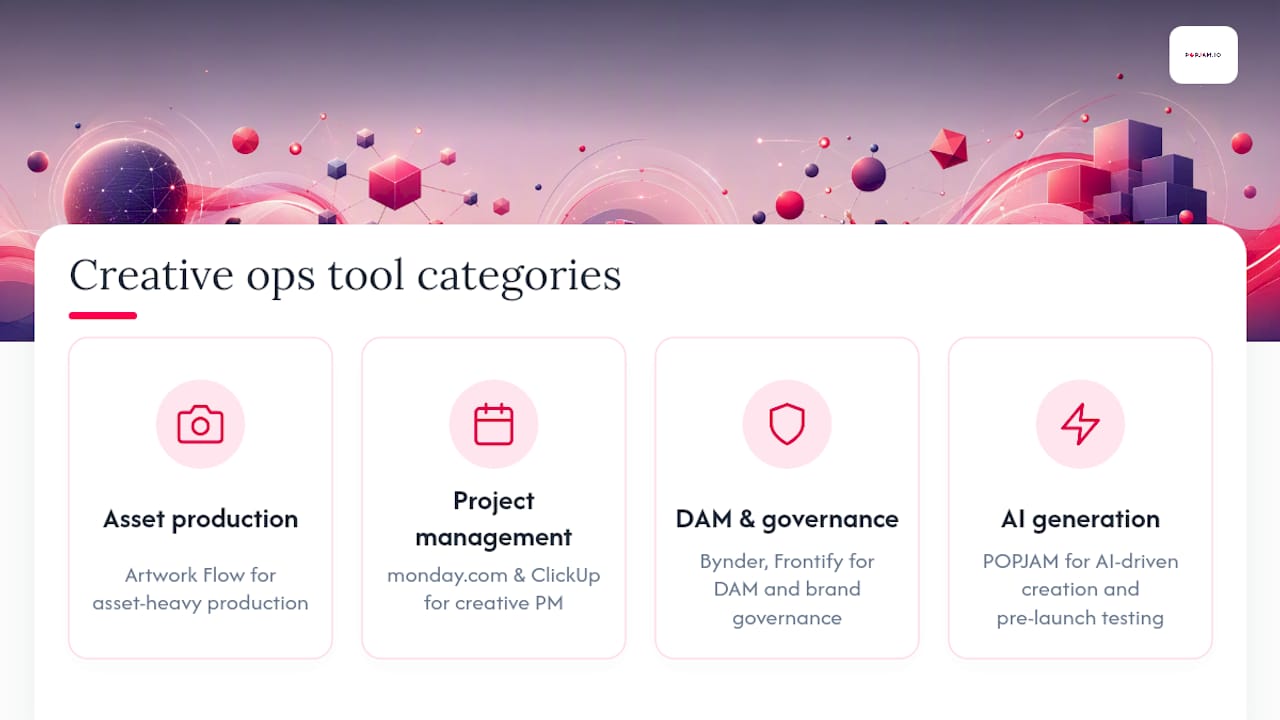
Purpose-built options include Artwork Flow for asset-heavy production workflows, monday.com and ClickUp for creative project management, Bynder and Frontify for DAM and brand governance, and POPJAM for AI-driven creative generation and pre-launch testing.
What is a content creation tool in a creative ops context?
A content creation tool generates or assists in producing the actual creative asset, whether copy, images, video, or animation. In a creative ops stack, it sits between the brief stage and the review stage. AI-powered platforms like POPJAM extend this by generating multiple variants and testing them against audience personas before any media spend is committed.
Where should a team start when building a creative ops stack?
Start with intake and proofing. Structured intake eliminates the most common source of rework (incomplete briefs), and a dedicated proofing tool eliminates version confusion. These two categories deliver the fastest time-to-value and create the foundation every other tool in the stack depends on.
Recommended
- Creative Automation: The Complete Guide for Performance Marketers (2026) | POPJAM.IO Blog
- The 11 Best AI Ad Creative Tools (2026): Generate & Test Compared | POPJAM.IO
- Best Ad Creative Services for US Marketers in 2026 | POPJAM.IO Blog
- Best Ad Design Tools for Digital Marketers in 2026 | POPJAM.IO Blog