

YouTube Ad Testing: AI Prelaunch + Google Experiments That Find Winners
The fastest path to a winning YouTube ad is a Google Ads video experiment, not a hunch. Use A/B test video assets for a clean single-variable test, run a synthetic-persona pre-test to weed out obvious duds before you spend a dollar, and pick one success metric that actually matches your campaign goal, view rate for awareness, conversions for direct response, before you launch anything.
TL;DR:
- A/B testing video assets is ideal for simple creative swaps within Reach or View campaigns, but more complex tests require custom experiments or manual split testing.
- Setting up a Google Ads video experiment requires choosing an identical control and treatment campaign, testing only one variable at a time, and achieving at least 1,000 impressions per variation over 7 to 14 days for reliable results.
- The most effective metrics depend on campaign goals: view rate and first 5-second retention for awareness, CTR for consideration, and conversions or ROAS for direct response.
- Pre-launch AI or synthetic-persona tests filter out weak creatives early, enabling you to focus live budget on the top 3 to 5 proven variants, saving time and money.
- When scaling, increase budgets gradually by 5% to 15% weekly, monitor early warning signals like CPV and view rate shifts, and refresh creatives before fatigue substantially impacts performance.
Table of Contents
- What Are the Different YouTube Ad Testing Methods?
- How Do You Set Up a Video Experiment in Google Ads?
- Which Metrics Actually Tell You a Creative Is Working?
- How Much Confidence Do You Need Before Acting on Results?
- Which Creative Variables Should You Test First?
- How Do Pre-Launch AI Testing Tools Fit Into Your Workflow?
- How Do You Scale a Winning Ad Without Killing Its Performance?
- Testing discipline that produces repeatable winners
- Test Smarter With POPJAM.IO Before You Spend a Dollar on YouTube
- Sources
- FAQ
What Are the Different YouTube Ad Testing Methods?
Three paths exist, and picking the wrong one wastes both budget and time. A/B test video assets inside Google Ads works best when you want a clean, single-variable comparison, say, hook A versus hook B, inside a Video Reach or Video View campaign. Custom experiments handle messier situations: multiple creative variants, nonstandard campaign types, or splits beyond a simple 50/50, and Google supports up to 10 arms in a single test.
If your account or campaign type doesn’t support native experiments, manual split testing (running near-identical campaigns side by side and comparing results) still works, though it’s messier to control for.
- A/B test video assets: best for one-variable creative swaps in Reach or Views campaigns
- Custom experiments: best for multi-arm tests or unusual campaign structures
- Manual split testing: a fallback when automated experiments aren’t available
- AI or synthetic-persona pre-tests: best for culling weak variants before any live spend happens
That last option matters more than most guides admit. Pre-launch testing catches the creatives that never had a chance, so your live budget goes toward genuine contenders instead of funding a slow-motion failure.
How Do You Set Up a Video Experiment in Google Ads?
Google Ads walks you through this natively, but the sequencing matters. Skip a step and you’ll misread the results.
- Pick your control campaign. Choose an existing Video Reach or Video View campaign for A/B testing, or set up a Custom experiment if you’re testing more than two arms.
- Duplicate it as your treatment arm. Change only the variable you’re testing, one creative, one CTA, one thumbnail. Everything else stays identical.
- Choose a single success metric before you launch. Decide whether you’re optimizing for view rate, CPV, CTR, or conversions based on your actual campaign goal, not after you see early data.
- Set an even traffic split. Confirm audience targeting, bid strategy, and placement settings match across both arms so you’re testing creative, not budget or reach differences.
- Launch, monitor confidence, then act. Watch the experiment’s confidence level climb, apply the winner once it’s conclusive, or end the test and revert if neither arm clears the bar.
The Google Ads experiment tool handles the traffic split and reporting automatically once it’s configured correctly, which removes most of the manual error that plagues DIY split tests.
Which Metrics Actually Tell You a Creative Is Working?
Match your metric to your funnel stage, or you’ll optimize for the wrong outcome entirely. Awareness campaigns should track view rate and first 5-second retention, since that opening window is one of the strongest predictors of whether a viewer sticks around. Consideration campaigns lean on click-through rate. Direct response campaigns need conversions, CPA, and ROAS, full stop.
First 5-second retention is the metric most advertisers underweight. It’s a leading indicator of whether your hook works, and it shows problems days before your conversion data catches up, according to creative performance benchmarks for 2026.
Beyond the primary metric, track these supporting signals:
- Completion rate and skip rate, which reveal pacing problems
- View-through conversions and assisted conversions, which capture people who saw your ad but converted later without clicking
- Placement and device splits, since Shorts, connected TV, and in-stream inventory behave differently and blending them into one number hides what’s actually happening
Linking your Google Ads and YouTube accounts gives you the full metric set, since the two platforms sometimes report views differently depending on format.
How Much Confidence Do You Need Before Acting on Results?
Confidence level determines whether you’re looking at a real signal or noise, and treating a directional result as conclusive is one of the more expensive mistakes in YouTube ad testing.
- 70% to 80% confidence: treat this as directional. Worth noting, not worth committing budget to yet.
- 95% confidence: this is the threshold Google Ads treats as conclusive, and it’s the level where applying a winner is genuinely safe.
- 1,000+ impressions or views per variation: a reasonable volume target before you trust the numbers.
- 7 to 14 days runtime: enough time to smooth out day-of-week and audience fluctuations for most budgets.
Google’s own experiment guidance draws this same line between directional and conclusive results, and it’s worth taking seriously rather than eyeballing a lead after two days.
Pro Tip: If your traffic is too thin to hit 1,000 impressions per arm within two weeks, extend the test rather than lowering your confidence bar. A longer test with a real answer beats a fast test with a guess.
Which Creative Variables Should You Test First?
Not every element deserves equal testing priority. Some variables move the needle hard; others barely register. Test in this order, one variable at a time, so you know exactly what caused the shift.
- The first 5 seconds, in isolation. Test hook format, opening visual, and audio choice separately from the rest of the ad, since this window drives retention more than almost anything else.
- CTA placement and text overlays. Google’s own creative experiment research points to overlay and CTA placement as reliable, low-risk tests that consistently move performance.
- Pacing and framing. Tight shots versus wide shots, and fast cuts versus slower pacing, change how long people watch.
- Format itself. Short versus long cuts, vertical versus horizontal orientation, and bumper versus skippable in-stream all carry different viewer expectations and deserve their own dedicated tests, not a footnote inside a creative test.
Resist the urge to change three things at once because you’re short on time. A test with two variables changed tells you that something worked, not which thing did.
How Do Pre-Launch AI Testing Tools Fit Into Your Workflow?
The strongest testing workflows don’t start in Google Ads at all. They start earlier, with a filtering step that keeps weak creative out of your live budget entirely: ideation, generate variants, run an AI or synthetic-persona pre-test, refine the top performers, then launch a live Google Ads experiment with only the strongest 3 to 5 candidates.
That filtering step is where Popjam fits into the process. The platform generates ad creative variants and runs them against synthetic buyer personas before anything goes live, surfacing psychographic feedback on what resonates and what falls flat.
Pre-launch testing exists to answer one question cheaply: which of these creatives deserves real budget? Culling losers before spend, rather than during a live campaign, is the difference between paying to learn and paying to lose.
- Generate multiple creative directions from a single brief instead of building each one manually
- Run synthetic-persona pre-tests to get directional feedback before spending a cent
- Narrow to your strongest 3 to 5 variants, then let Google Ads experiments settle the final decision with real audience data
This sequencing controls both budget and speed, since your live test is comparing genuine contenders instead of guessing across ten mediocre options. For a full breakdown of the pre-launch checklist, POPJAM’s guide to testing ad creatives before launch walks through the process step by step.
How Do You Scale a Winning Ad Without Killing Its Performance?
Winning the test is only half the job.
Scale in small steps. Bump budget by roughly 5% to 15% per week and watch CPV and view rate closely, since a sudden jump in either one is often the earliest sign that a winning creative is starting to fatigue.
- Apply winners at 95% confidence, not before
- Increase budget gradually, 5% to 15% weekly, and track early warning metrics daily
- Queue a replacement creative and refresh every 7 to 14 days before fatigue sets in
- Set automated alerts for sudden CPV or view-rate shifts so you catch decay before it drains budget
Pro Tip: Build your replacement creative while your current winner is still performing well, not after it starts declining. Fatigue rarely gives you a warning window longer than a few days.
Testing discipline that produces repeatable winners
Ad-hoc creative changes feel productive, but they rarely compound. What actually builds a library of winning creatives is a documented hypothesis for every test, tied to one metric, run to a real confidence threshold. Synthetic-persona pre-testing changes the economics of that discipline, because it lets you form and kill hypotheses before spend enters the picture at all. Two habits are worth adopting immediately: write down the hypothesis and primary metric for every single test, and automate daily alerts on CPV and view rate so decay gets caught in days, not weeks.
— Doruk
Test Smarter With POPJAM.IO Before You Spend a Dollar on YouTube
Every method above gets faster and cheaper when you filter weak creative before it ever touches a live campaign. That’s the specific gap POPJAM.IO closes: instead of discovering a hook doesn’t work three days into a live Google Ads experiment, you find out before launch, against synthetic buyer personas built to react like your real audience.
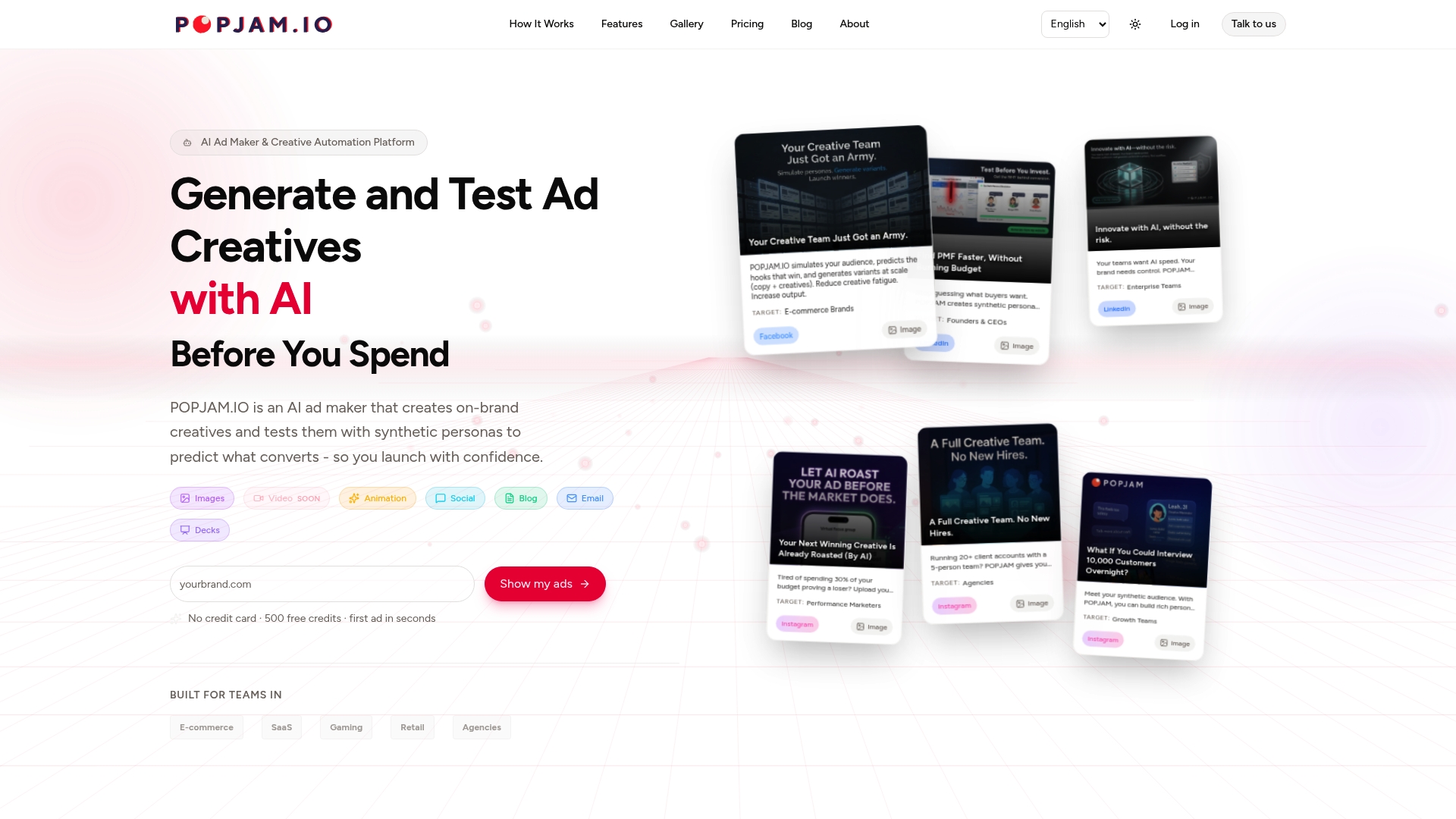
POPJAM generates on-brand ad variants from a single brief, runs them against synthetic personas for psychographic feedback, and surfaces which directions are worth your live budget. That feedback slots directly into the workflow this guide walks through: generate, pre-test, refine, then run your Google Ads experiment on your strongest 3 to 5 creatives instead of your first 3 to 5 ideas. Agencies managing multiple client accounts can see how this applies to their volume in the agency-focused version of the platform.
Start with a free demo of the AI ad generator and run your next batch of YouTube creative through a pre-launch pass before it ever reaches a live campaign.
Sources
- Create a video experiment - Google Ads Help
- How to Track YouTube Ads Performance in 2026: Metrics, Benchmarks & Reporting Guide
FAQ
What Is the 7-Second Rule on YouTube?
The 7-second rule refers to the idea that viewers decide whether to keep watching or skip within the first few seconds of a video ad, which is why first 5-second retention is tracked as a leading predictor of creative performance.
How Many Views Do You Need to Make $10,000 a Month on YouTube?
That figure depends entirely on niche, ad rates, and monetization method, and there’s no fixed view count that guarantees a specific income; it’s a separate question from ad testing, which focuses on advertiser performance rather than creator earnings.
Can You Get Paid to Review Ads on YouTube?
Some market research platforms pay panelists for structured ad feedback, but this differs from synthetic-persona pre-testing tools like POPJAM, which simulate audience reactions computationally rather than paying human reviewers per ad.
Is $20 a Day a Reasonable Budget for Google Ads Video Campaigns?
A small daily budget can work for early directional testing, but hitting the 1,000+ impressions per variation needed for reliable confidence usually requires extending the test duration well beyond a few days at that spend level.
How Long Should a YouTube Ad Experiment Run?
Most experiments need 7 to 14 days to reach a reliable read, and if your traffic volume is low, extending the run time is the right move rather than calling a winner early.